
In the world of ecommerce, visuals are everything. High-quality product mock-ups can make or break your online store’s success, especially on platforms like Etsy, Shopify, or Amazon. Product mock-ups allow potential customers to visualise your products in real-life scenarios, making your listings more appealing and boosting sales. Whether you’re selling t-shirts, mugs, posters, or any other custom product, mock-ups are a vital part of your marketing toolkit.
In this guide, we’ll explore the tools you can use to create product mock-ups, the benefits of using a mock-up generator, and how Papello’s free mock-up creator can help you make stunning, high-quality mock-ups for your ecommerce store.


Created with Papello mock-up generator
1. What Are Product Mock-ups and Why Are They Important?
Product mock-ups are digital representations of your products that help showcase them realistically. Instead of just displaying a plain image of your product, a mock-up places it in a context that helps customers see its use and appeal. For example, a mug with your design could be displayed in a cosy kitchen setting, or a t-shirt could be shown being worn by a model.
Why Product Mock-ups Matter
- Boost Sales: High-quality visuals are more likely to attract potential buyers and increase conversion rates. Product mock-ups give your products a professional appearance, which builds trust and encourages customers to buy.
- Showcase Versatility: Mock-ups help customers understand how your product fits into their lifestyle by showing it in various settings. Whether it’s a framed art print hanging on a wall or a hoodie worn in different environments, mock-ups provide context.
- Save Money and Time: Instead of conducting expensive photoshoots, you can easily create digital mock-ups that look just as good.
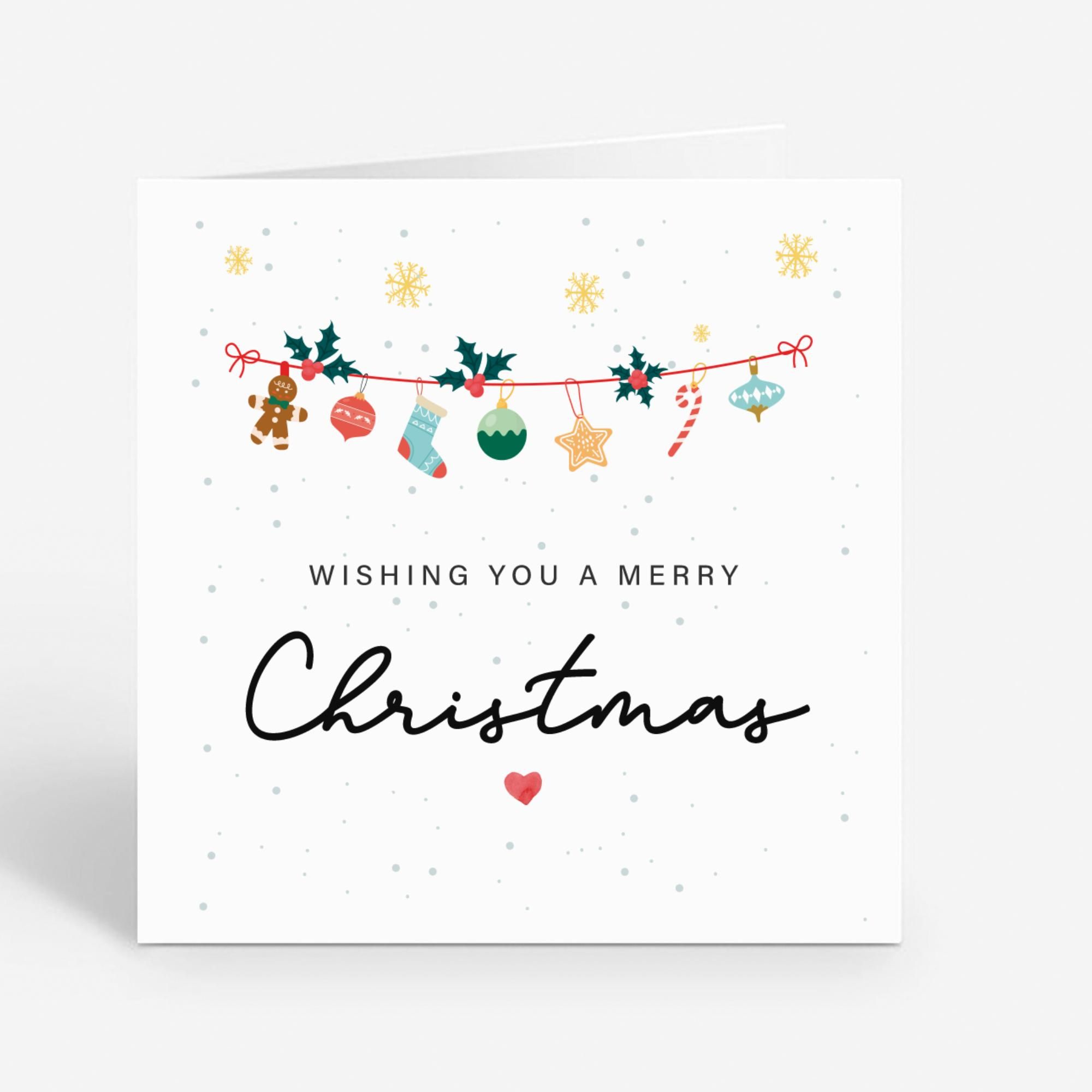
Created with Papello mock-up generator
2. Tools You Can Use to Create Product Mock-ups
There are several tools available for creating product mock-ups, ranging from professional design software to free online mock-up generators. Below are some of the most popular tools you can use:
Mockey AI
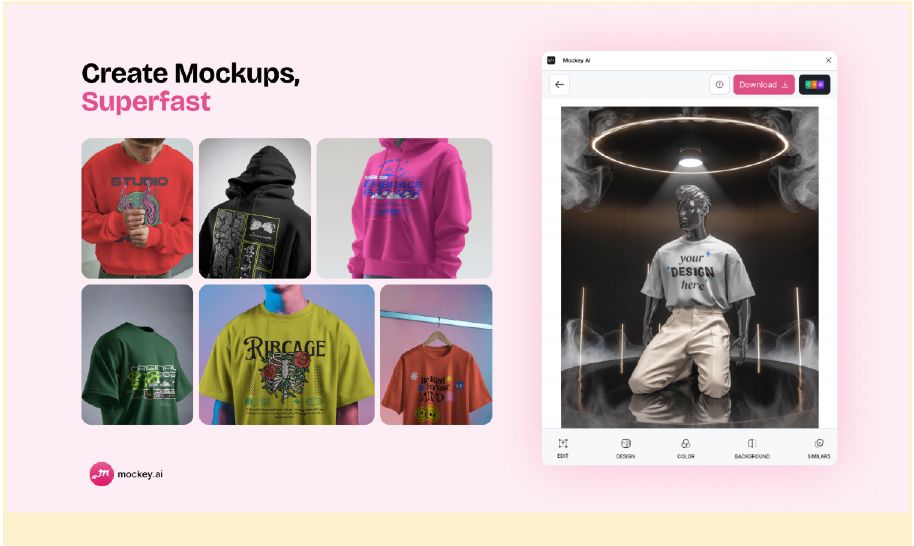
Mockey AI is an online mockup generator designed to create product mockups quickly without design skills. It offers over 20,000 templates across more than 60 product categories for e-commerce sellers. Upload your design and instantly generate mockups, including different angles from a single design. You can also create 3D mockups, video mockups, and mockup animations to make your product visuals more engaging.
- Pros: A free plan, a wide range of ready-made templates, and easy to use
- Cons: Less control for detailed editing
Adobe Photoshop
Adobe Photoshop is one of the most well-known tools for creating product mock-ups. With Photoshop, you have full control over every element of your mock-up, allowing you to create highly customised and realistic designs. However, Photoshop can have a steep learning curve, and it requires a subscription, making it a more suitable option for experienced designers.
- Pros: Highly customizable, full control over design, advanced editing capabilities.
- Cons: Requires design skills, subscription-based, time-consuming.
Canva
Canva is a popular online design tool known for its user-friendly interface. Canva provides various mock-up templates that you can easily customise to create appealing product images. It’s a great choice for beginners or anyone looking for a quick and easy way to create mockups without advanced design skills.
- Pros: User-friendly, free version available, many templates.
- Cons: Limited customization compared to Photoshop, not ideal for complex mockups.
Placeit
Placeit is an online mock-up generator that offers thousands of templates for various products, including apparel, accessories, and electronics. It’s simple to use—just upload your design and Placeit will generate a mock-up for you. Placeit is ideal for those who need mockups quickly and don’t want to spend time editing.
- Pros: Easy to use, huge library of mockup templates.
- Cons: Requires a subscription for full access, limited customization options.
Papello’s Free Mock-up Generator
Papello offers a free mock-up generator that allows you to create high-quality product mock-ups for your ecommerce store. It’s perfect for artists, designers, and small business owners who want to create professional-looking product images without the hassle of complicated software. You can use it to generate mock-ups for t-shirts, framed prints, wrapping paper, and much more.
- Pros: Free to use, high-quality output, perfect for ecommerce stores.
- Cons: Limited to specific product categories offered by Papello.
3. How to Create a Product Mock-up: Step-by-Step
Creating a product mock-up might seem challenging at first, but with the right tools, it can be a simple and enjoyable process. Below, we’ve outlined the typical steps involved in using a mock-up generator like Papello’s.
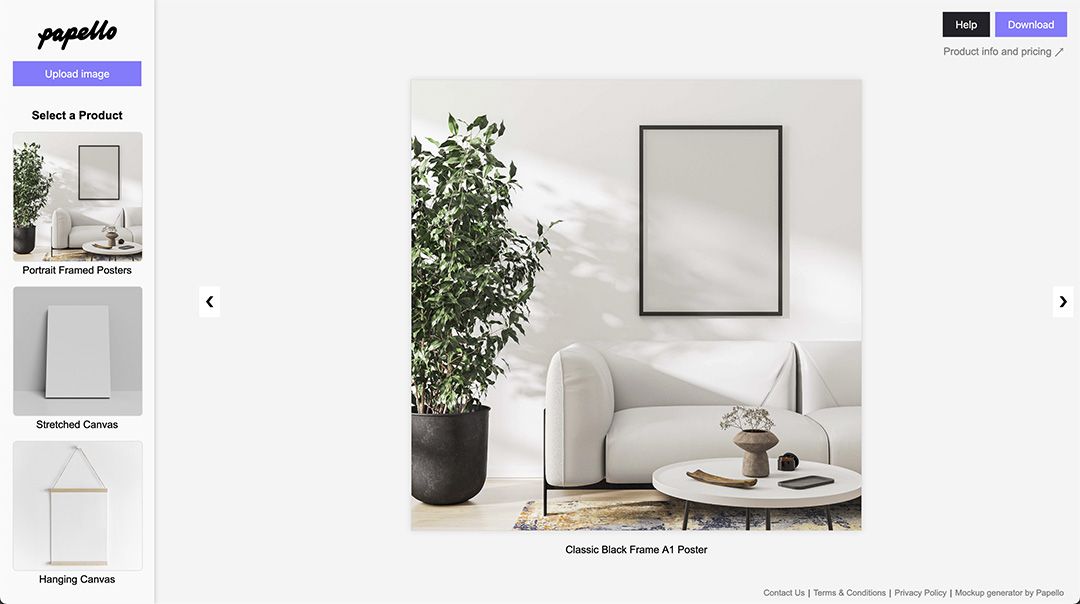
Step 1: Select a Product
The first step is to choose the type of product you want to create a mock-up for. This could be anything from a t-shirt to a framed print or even wrapping paper. Papello offers a range of templates that make it easy to visualise your design on different products.
In our example, we’ll select these framed posters.
Step 2: Upload Your Design
The next step is to upload your artwork or product. Simply click the “Upload Image” button from the side bar. Make sure that your image file is high resolution to ensure the best quality for your mock-up. We’ll use this nice abstract watercolour image.
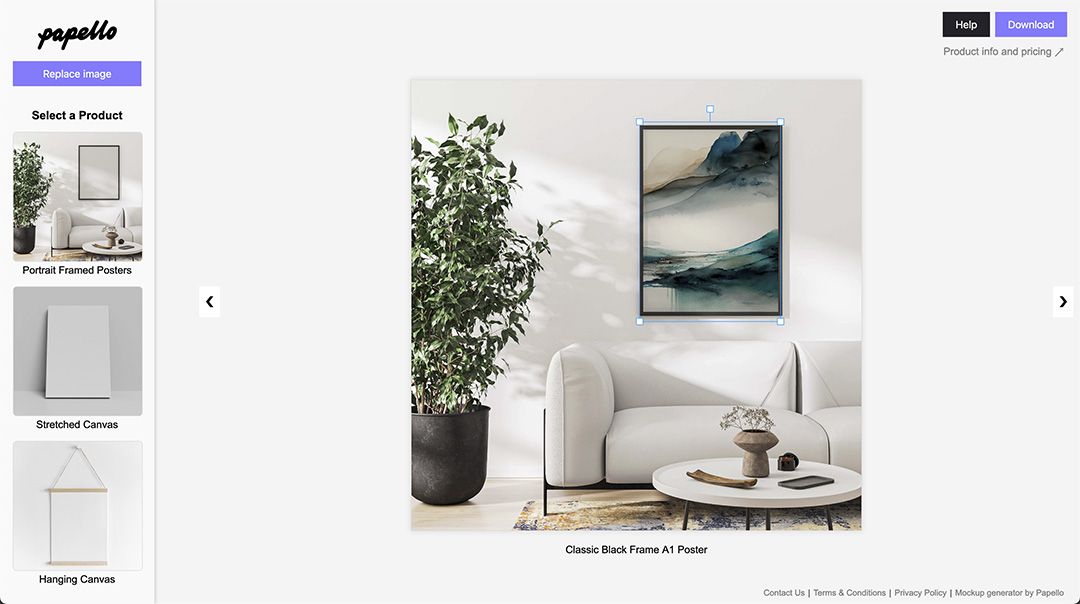
Step 3: Place and resize and your artwork.
Once you’ve uploaded your image, you can customise the mock-up by adjusting the placement, size, and orientation of your design. This step allows you to see how your artwork looks in various settings. Using the corner handles, you can rotate, and resize the image. Dragging the images moves it within the clipping area.
Step 4: Place and resize and your artwork.
One of the great features on the Papello product mock-up generator is the ability to create multiple mock-ups at once in bulk. Clicking the next arrow will display the next mock-up in this group. You can again quickly place, scale and rotate your artwork for each mock-up.
Watch how to set artwork for multiple mock-ups at once.
Step 5: Preview and Download
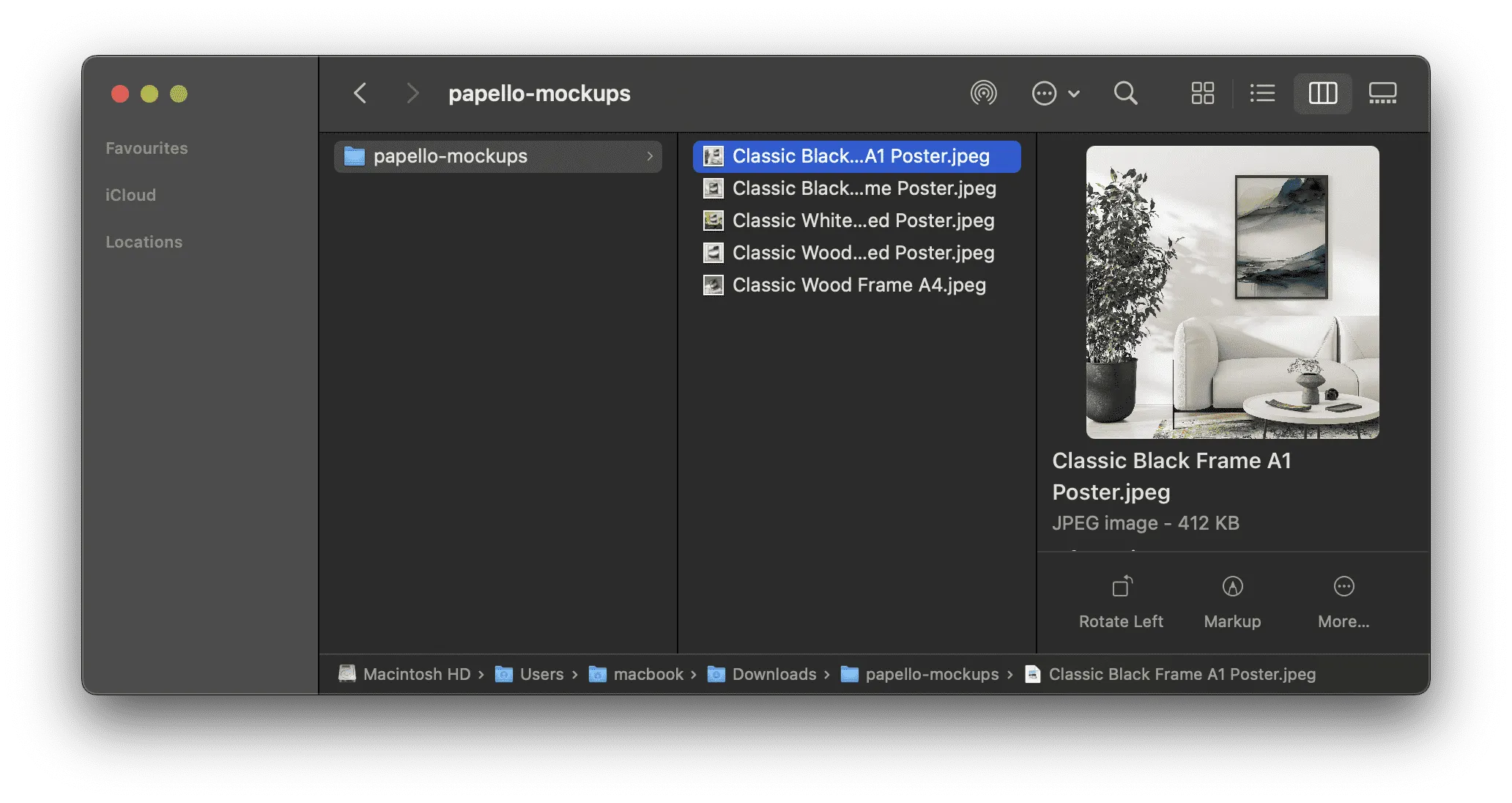
After customising your mock-up, preview the final product to make sure everything looks perfect. When you’re happy with the result, download the high-resolution image by clicking “Download” in the top right corner. You’re free you use these images on your ecommerce store or marketing materials.
4. Comparing Papello’s Mockup Generator with Other Tools
When it comes to creating product mockups, there are several tools available, each with its own advantages and limitations. Here’s how Papello’s mockup generator stacks up against other popular options:
Papello vs. Photoshop
- Ease of Use: Papello’s mockup generator is much easier to use than Photoshop, which requires advanced design skills and experience.
- Cost: Papello’s tool is free, while Photoshop requires a subscription.
- Customisation: Photoshop offers more advanced customisation options, but for the average user, Papello’s generator provides everything needed to create stunning product images quickly.
Papello vs. Canva
- Mockup Variety: Canva offers a broad range of mockup templates, but Papello’s mockup generator is specifically designed for the products offered on Papello, ensuring high-quality results tailored for ecommerce.
- Accessibility: Both tools are accessible for beginners, but Papello’s tool is more focused on product mockups, making it ideal for ecommerce sellers.
Papello vs. Placeit
- Cost: Placeit requires a subscription for full access, whereas Papello’s mockup generator is free.
- Product Focus: Papello’s generator is optimised for the products offered in the Papello catalog, which ensures that every mockup is tailored for high-quality production and display.
When it comes to creating product mockups, there are several tools available, each with its own advantages and limitations. Here’s how Papello’s mockup generator stacks up against other popular options:
| Tool | Price | Subscription Required | Ease of Use | Customisation Options | Product Focus |
|---|---|---|---|---|---|
| Mockey | Free/Paid | Yes | Easy | Low | General |
| Adobe Photoshop | Paid | Yes | Difficult | High | General |
| Canva | Free/Paid | Optional | Easy | Medium | General |
| Placeit | Paid | Yes | Very Easy | Low | Apparel, Accessories |
| Papello Mockup Generator | Free | No | Very Easy | Medium | Papello Product Catalog |
5. Benefits of Using Product Mockups for Ecommerce
If you’re selling products online, high-quality product mockups can significantly impact your success. Here are some of the key benefits:
Improved Product Presentation
Product mockups provide a polished and professional look to your ecommerce store. High-quality visuals can help establish trust with potential customers and make your products stand out.
Reduced Costs
Mockup generators eliminate the need for costly photoshoots and physical samples. You can create realistic product images without investing in photography equipment or hiring models.
Easily Test New Designs
With product mockups, you can easily test new designs and see how they look on different products before committing to production. This flexibility allows you to experiment with different styles and choose the best options for your store.
Increased Sales
Customers are more likely to buy a product when they can see how it looks in real life. By using mockups, you can help customers visualise the product, leading to increased sales and a higher conversion rate.
Conclusion
Product mock-ups are an essential part of any ecommerce business, helping you present your products in the best possible light and attract more customers. Whether you’re using professional design software like Photoshop or a simple online tool like Canva, creating high-quality product images can make a big difference in your sales.
Papello’s free mockup generator is a powerful and accessible tool that can help you create stunning mockups quickly and easily.
Whether you’re looking to create mock-ups for your ecommerce store, experiment with new product visuals, or need high-quality images for marketing, Papello’s tool provides an easy, efficient, and cost-effective solution to help your products shine.
Happy selling!