
You can update the email address linked to your Papello account directly from your seller dashboard. For security purposes, this process requires verifying access to your new email address.
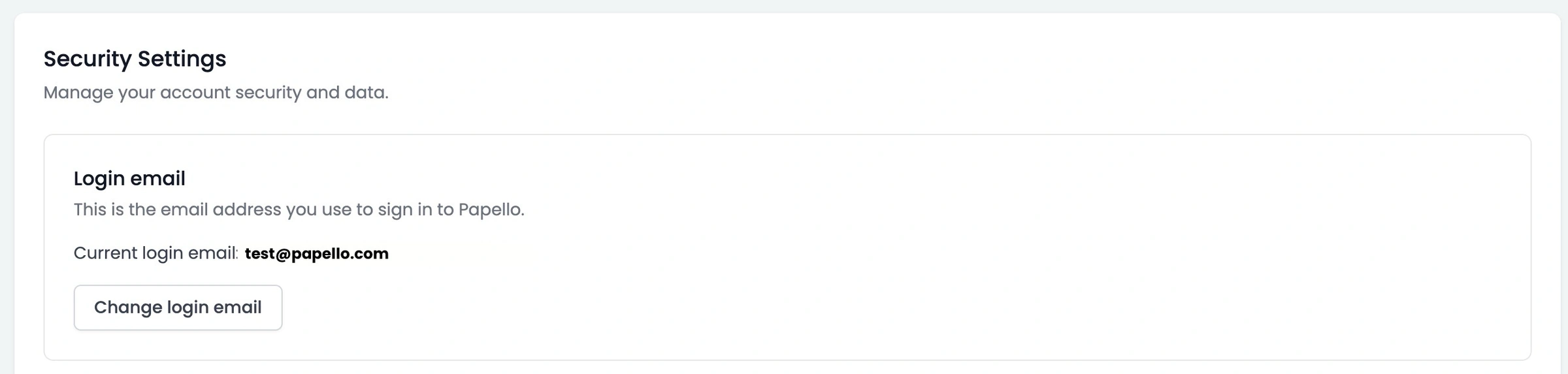
Standard Email Update Process
Navigate to your Account Settings in the Papello dashboard.
Ensure you are on the Account tab.
Locate the "Login Email" section.
Click "Change login email" and enter your New Email Address into the specified field.
Click the "Change email" button.
Upon completing these steps, a verification code will be immediately dispatched to the new email address you provided.
Check your new email inbox for the verification message.
Enter the code provided into the confirmation box on your Papello dashboard.
Click "Verify" to confirm the new address is correct and accessible.
Once confirmed, your account email will be immediately updated. You will now use this new email address to log in, and all future communications from Papello will be directed to this address.
Important Exception: Google Sign-In Users
Please note that users who created their Papello account using "Sign in with Google" (by clicking the Google button during registration rather than manually typing an email and password) are unable to change their registered email address using the standard process.
For these accounts, the login identity is managed and verified directly by Google. Therefore, the email address linked to the Papello account must remain the same as the original Google account used for registration.