
Mugs
Loading product details
Mugs
Loading product details
Design a template once, choose what your buyers can change, and sell it wherever you already trade. Each order comes back as a print-ready file that we print and ship from the UK.
Step 1. Create
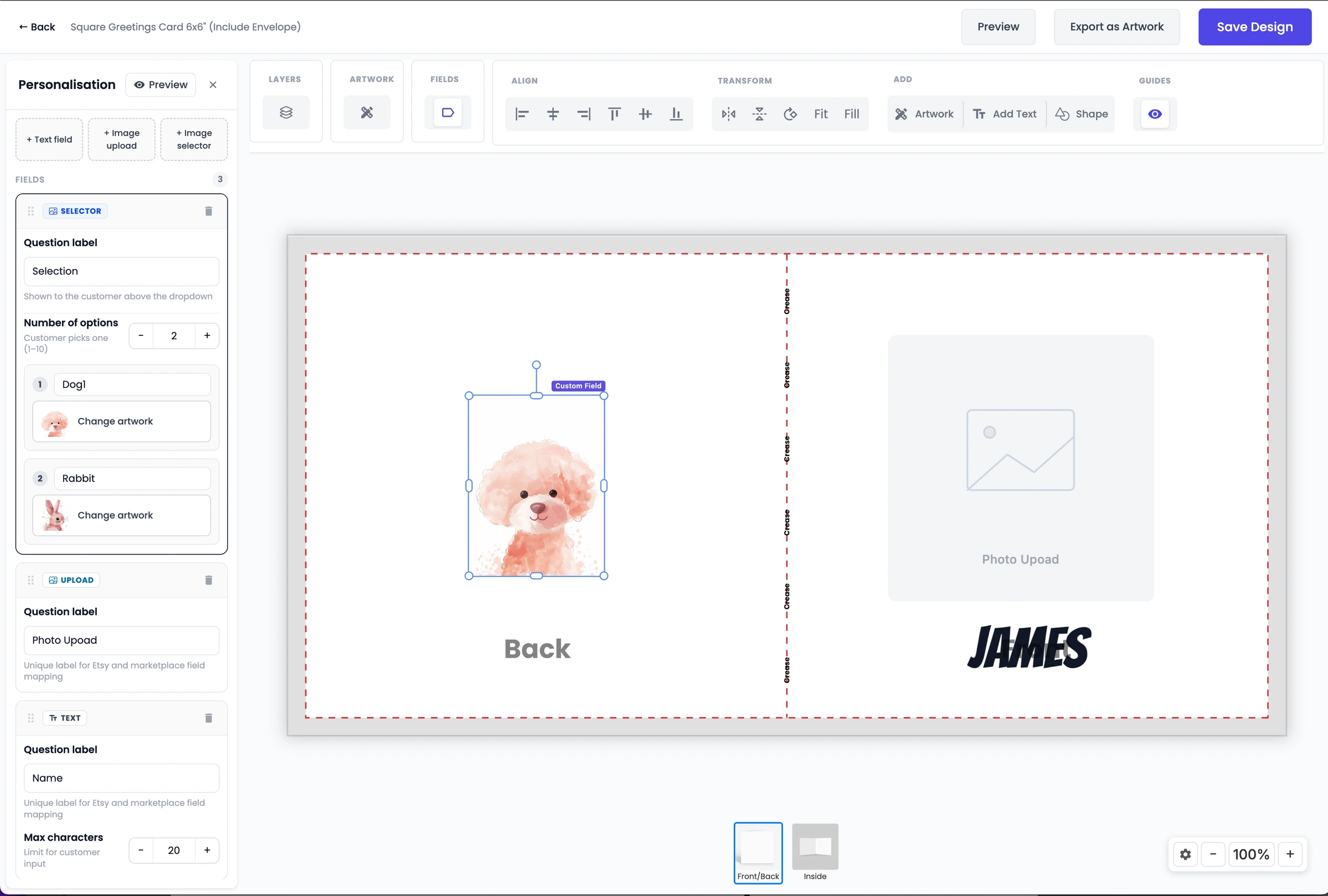
Open the Design Studio, start a new design on any product in the catalogue and add personalisation fields on top of your artwork. You can also turn existing text or images on the canvas into fields.
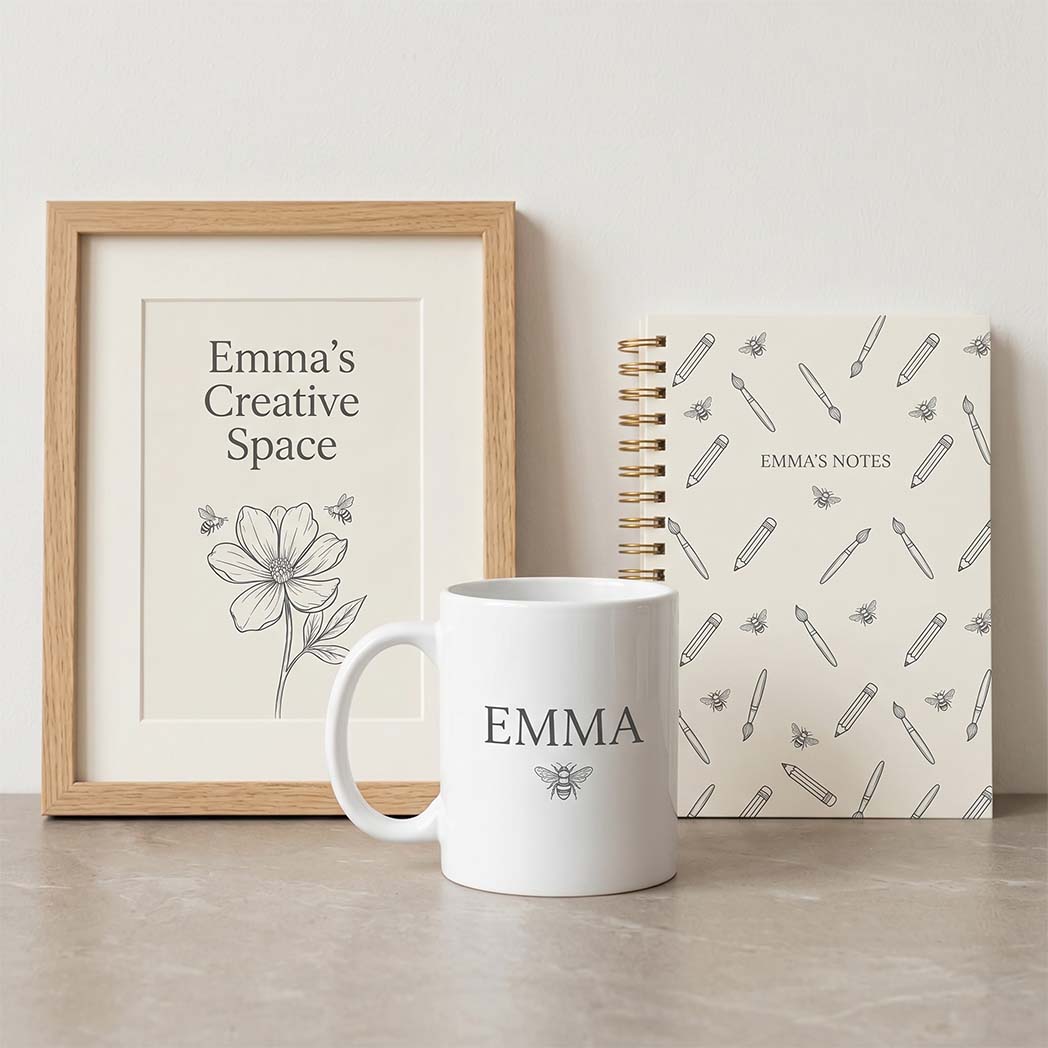
Popular starting points are personalised greetings cards, name mugs and framed photo prints. If you plan to sell several sizes, design at the largest one so every size prints sharply.
Step 2. List
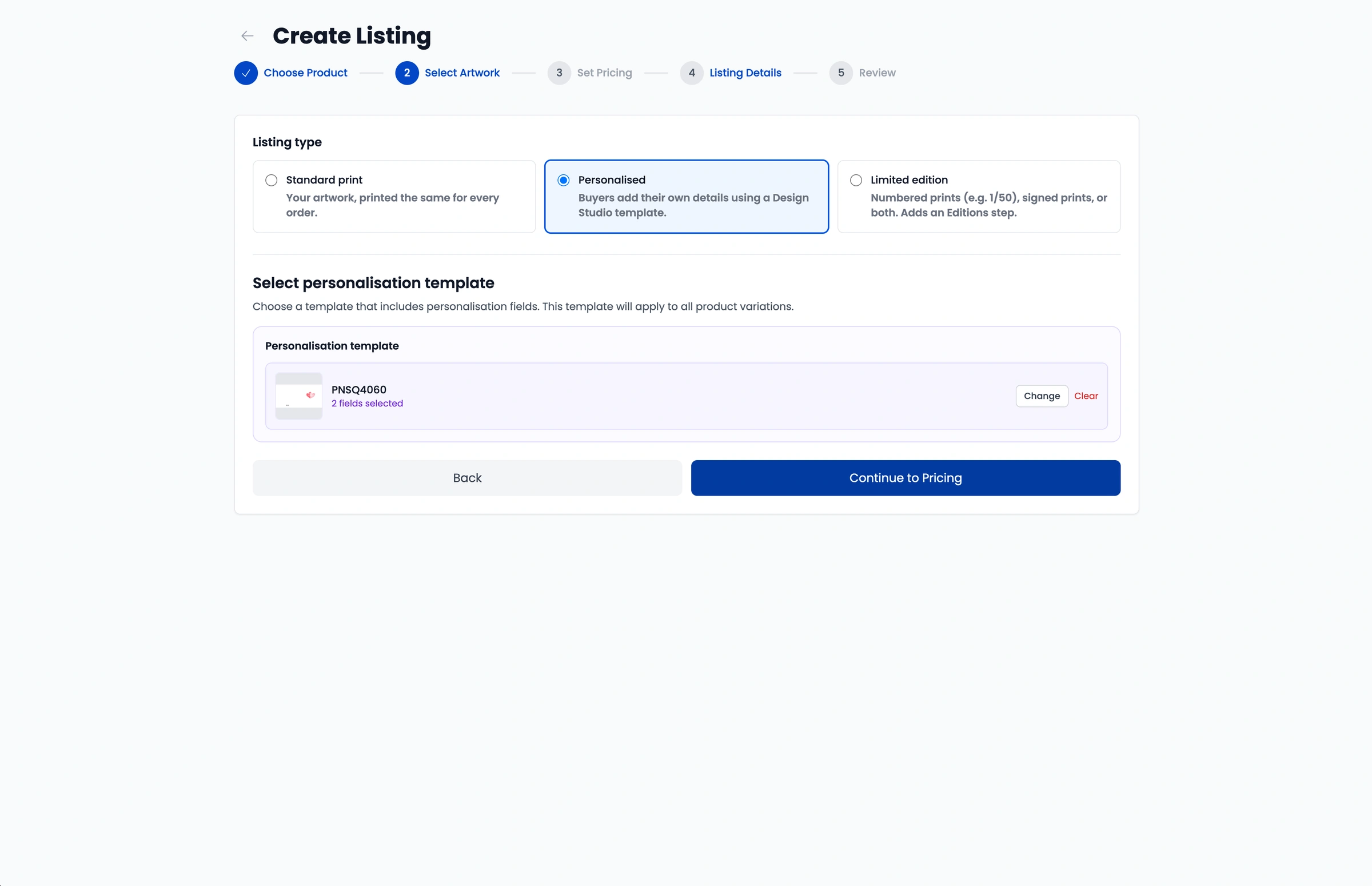
In the Papello listing creator, pick the base product and sizes, then set the listing type to Personalised and attach your template. The same listing can be published to any store you have connected.
01Choose product
A fine art print, framed poster, mug, card or anything else in the catalogue.
02Select Personalised
Pick Personalised as the listing type and choose your Design Studio template.
03Set your prices
Enter retail prices per size. Base prices are shown excluding VAT.
04Add details
Mockups are generated for you. Write the title and tags yourself or use AI Generate.
Step 3. Sell
Each channel collects personalisation in its own way. Pick yours to see exactly how it works, or compare every Papello integration.
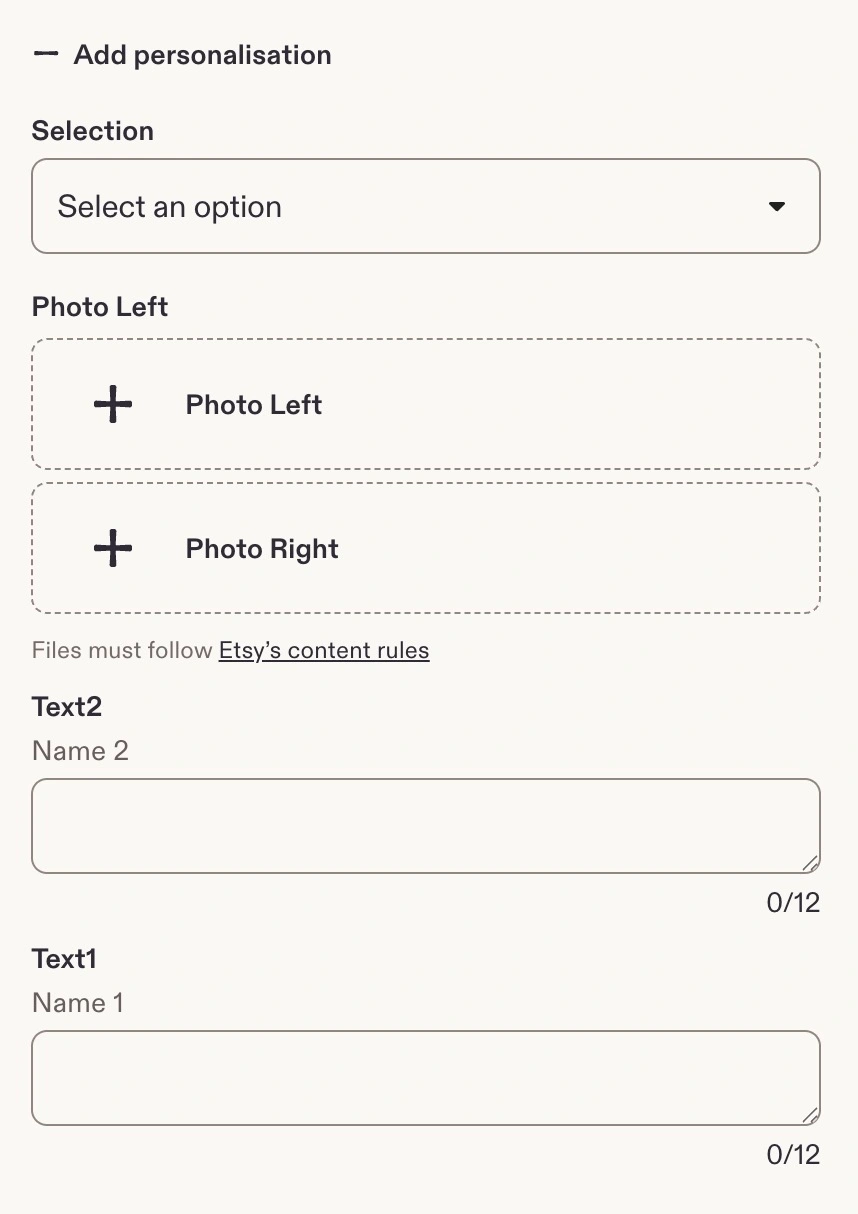
When you publish a personalised listing to Etsy, Papello writes your template's questions onto the listing as personalisation fields. Buyers fill them in before checkout, and when the order lands we render their artwork and send it to print.
Etsy caps each listing at 5 custom fields, with up to 10 image uploads and 30 selector options across them, so plan your template around those limits.
You don't need to relist. Connect your shop, open Setup Automation on the listing, tick Personalised automation and choose your template. Saving updates the live listing with your questions.

New to Papello on Etsy? Start with our Etsy print on demand integration.
eBay listings have no personalisation fields, so Papello handles it inside eBay Messages instead. Buyers never leave eBay and the messages contain no external links.
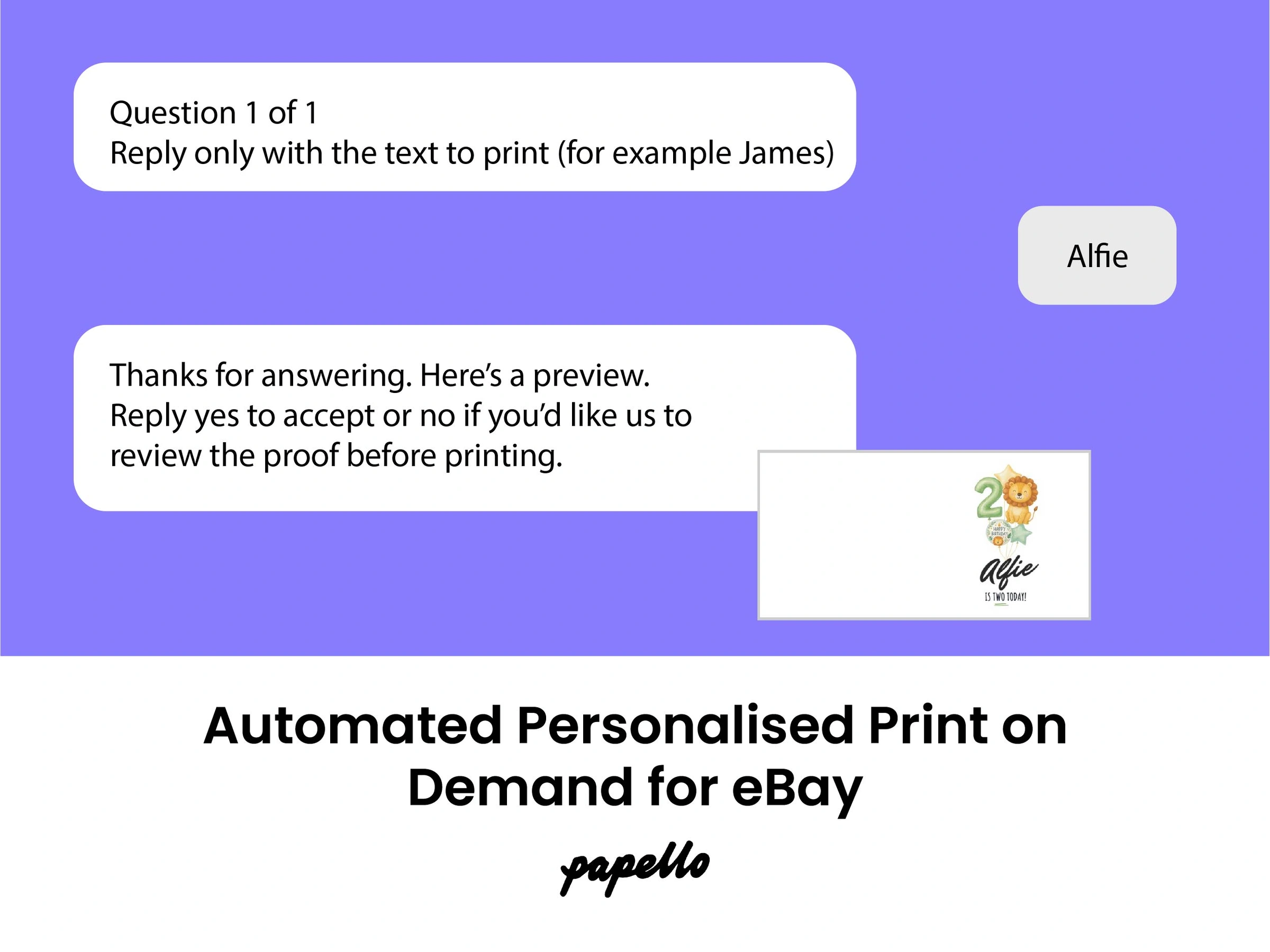
Papello messages the buyer in eBay with your template's questions, one at a time.
The buyer replies with their text, picks an option or attaches a photo.
We render the artwork and send a proof back in the same conversation.
The buyer replies yes and the order goes to print. If they want changes, it waits for your review.
Publish new personalised listings from Papello, or map your existing eBay listings to Papello products and switch on in-app personalisation per listing. Tracking syncs back to eBay once the order ships. Read more about eBay print on demand with Papello or the story behind automated personalisation for eBay.
The Papello Shopify personaliser is a theme app block that opens an editor on your product page. Shoppers add their text and photos, see the finished product update as they type, and add it to their basket with everything attached.
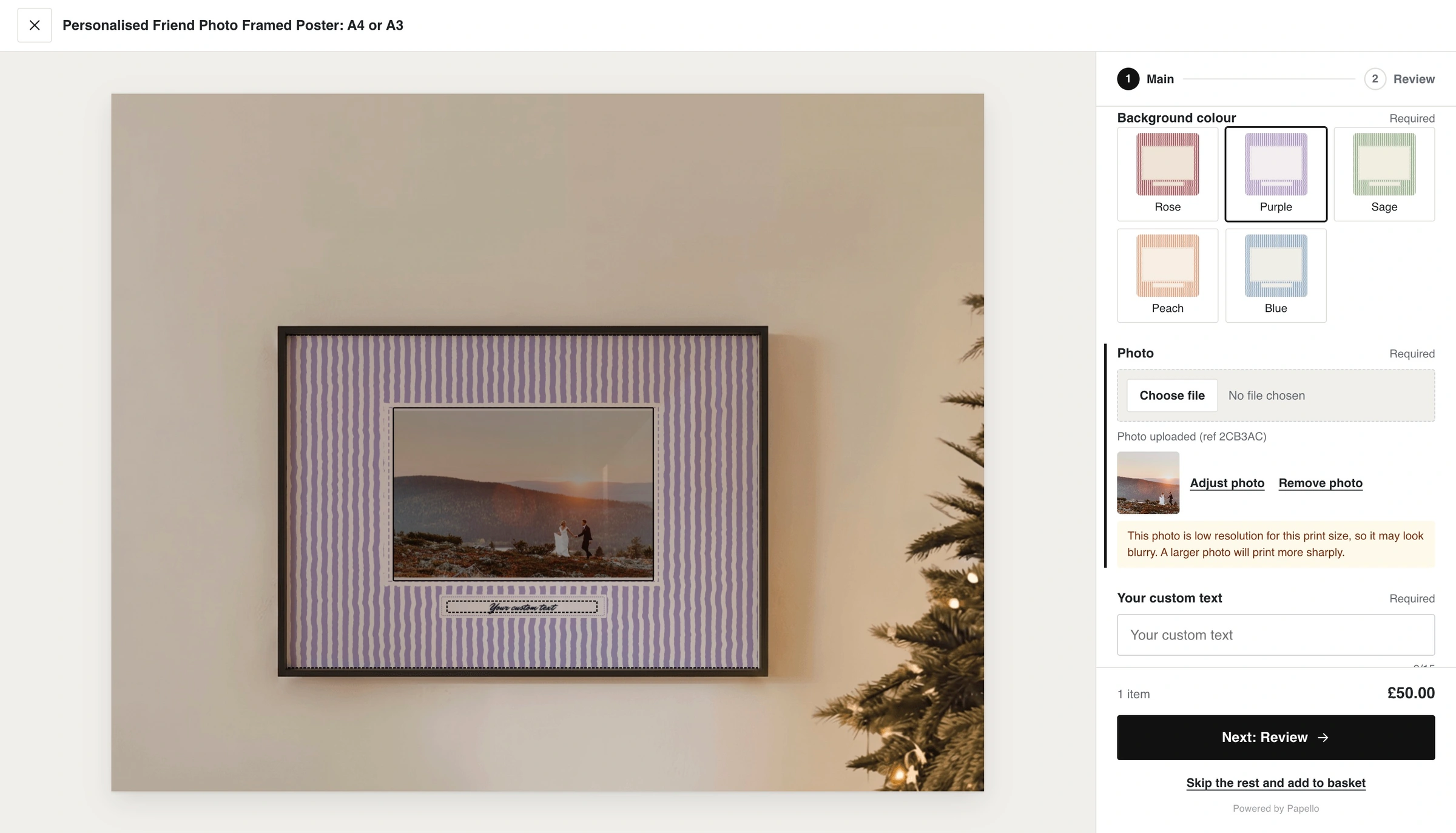
Publish your personalised listing to Shopify and choose Papello shipping rates or keep your own shipping profile. Papello creates the variants and routes them to the Papello Fulfillment location.
In the theme editor, add the Papello personaliser block to your product template. It shows on every personalised product and hides the standard Add to cart button so no order arrives without details.
At checkout the item routes to Papello, the print file renders from the shopper's inputs, and tracking syncs back to Shopify when it ships.
You will need an Online Store 2.0 theme and the Papello app installed. If you're not connected yet, see Shopify print on demand with Papello.
Whichever channel an order comes from, you decide how it reaches production in your account preferences.
Need to upload one-off artwork for a single order instead? Use simple ordering from your dashboard.
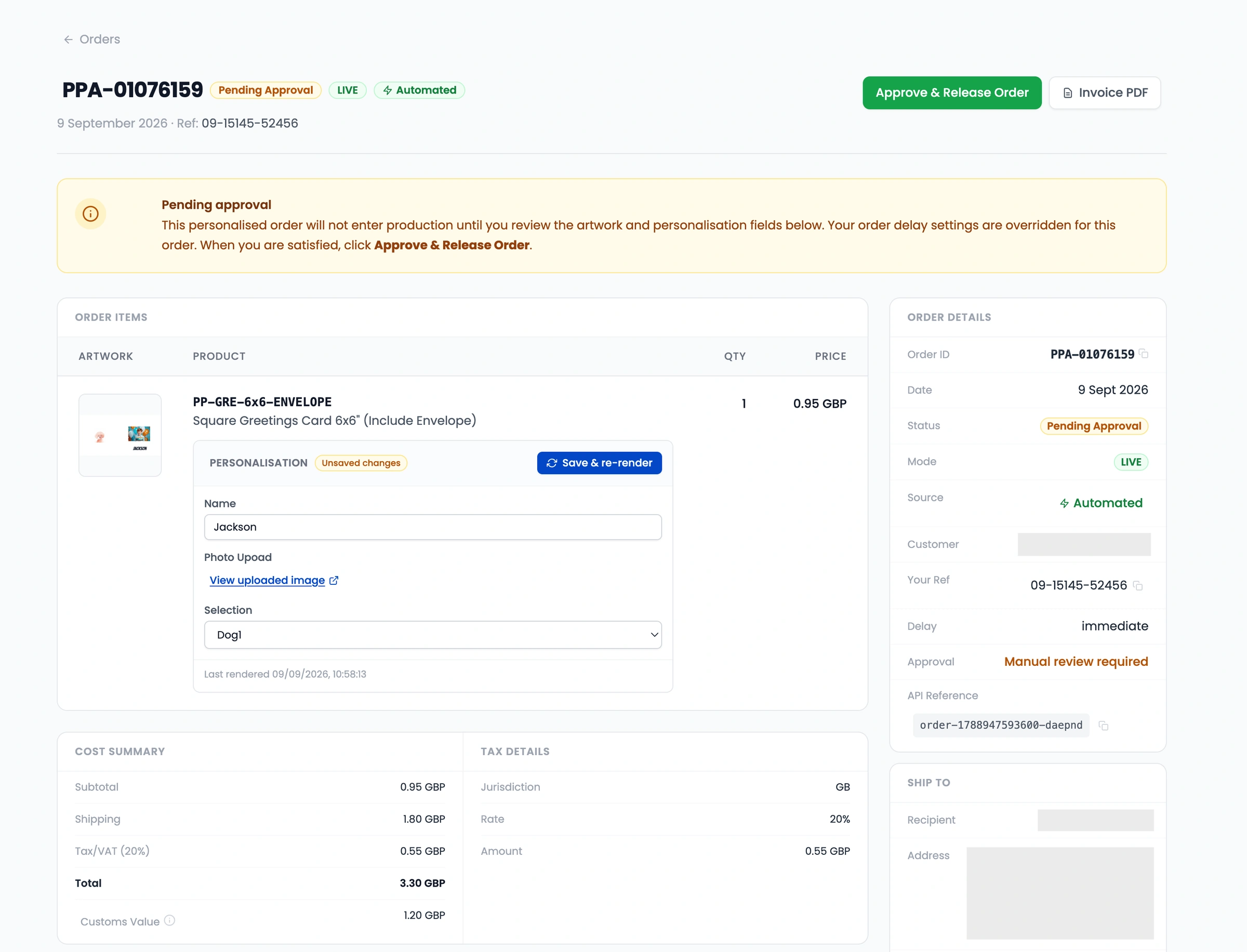
Common questions about creating and selling personalised designs with Papello.
Print on demand
Build your first personalised template in the Design Studio and publish it to Etsy, eBay or Shopify. Free to sign up, you only pay when an order is printed.