
Mugs
Loading product details
Mugs
Loading product details
Give buyers the feeling of owning something rare. Set a fixed print run, add your signature to every print, and Papello keeps edition stock in sync across all of your stores so you never oversell.

The same artwork can feel very different to a buyer once it is signed and numbered.
A capped run with an edition number lets you charge more than an open print of the same size.
When buyers can see only a handful left, they are far less likely to save it for later and forget about it.
A printed signature makes a dropshipped print feel like it came straight from your studio.
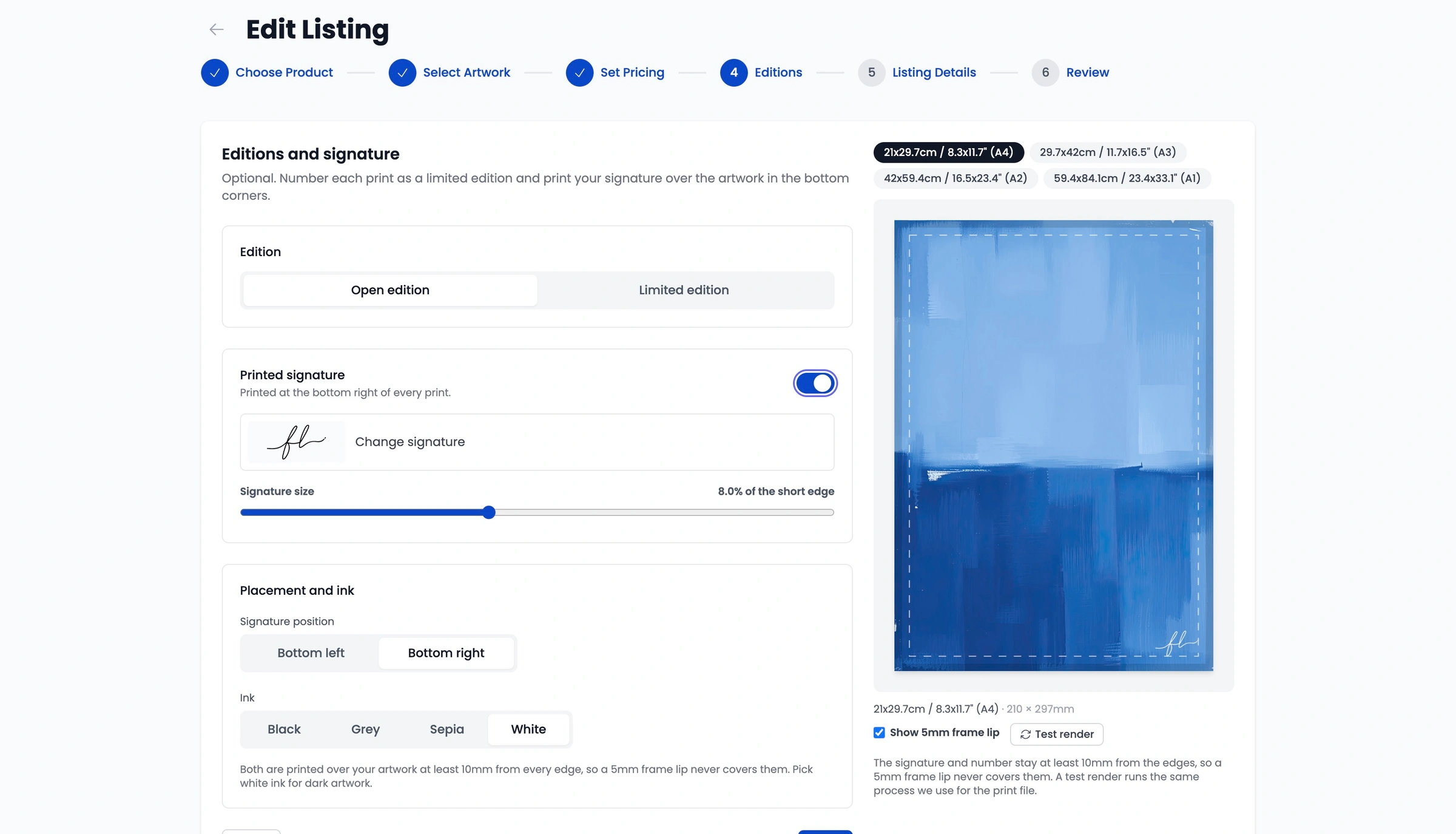
Sign once on paper and Papello adds your signature to every print in the listing. It works on open editions and limited editions, across poster and art prints and framed prints.
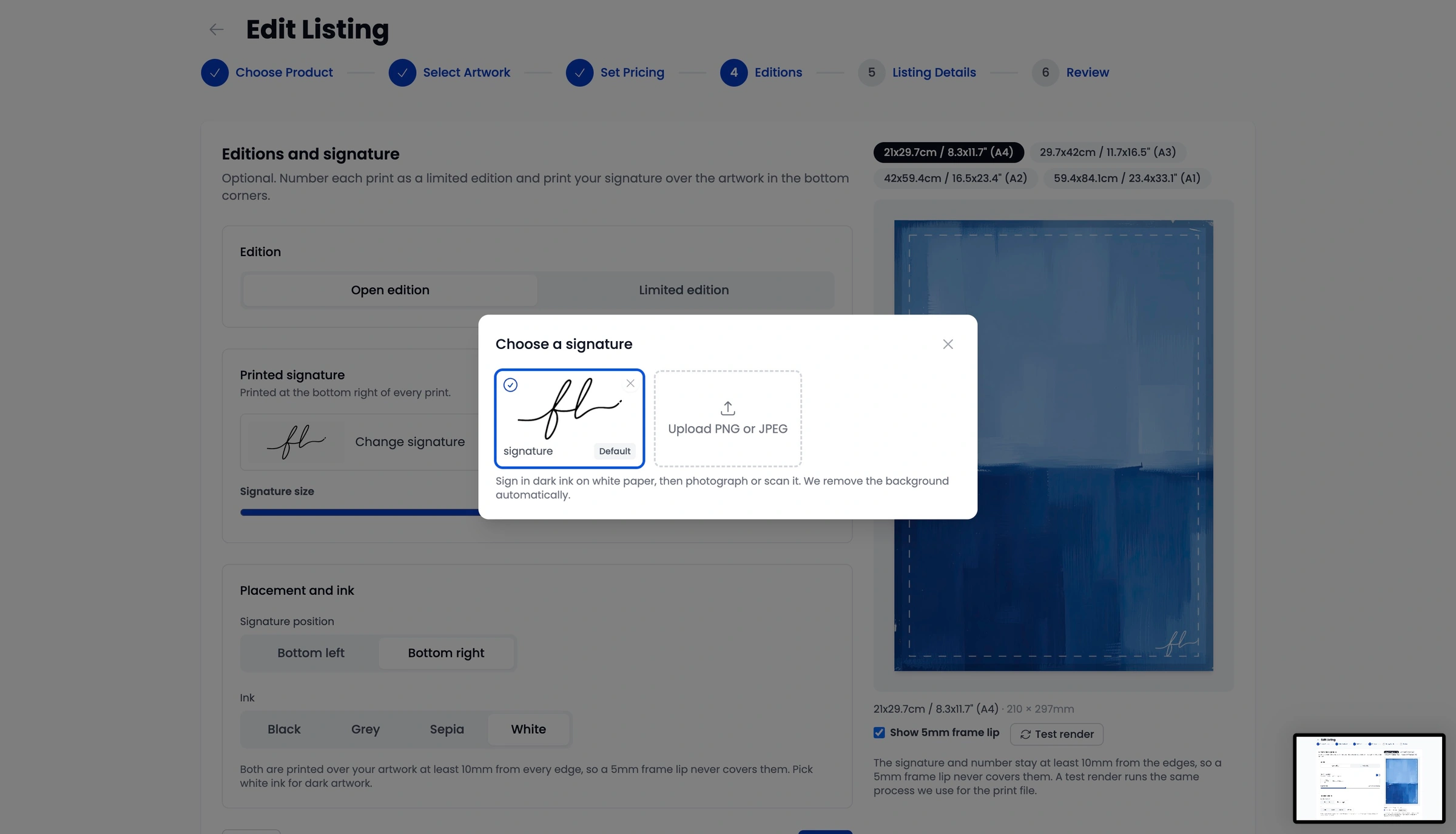
Sign in dark ink on white paper, then upload a photo or scan. Papello strips the white background automatically, so you get a clean signature without opening any editing software.
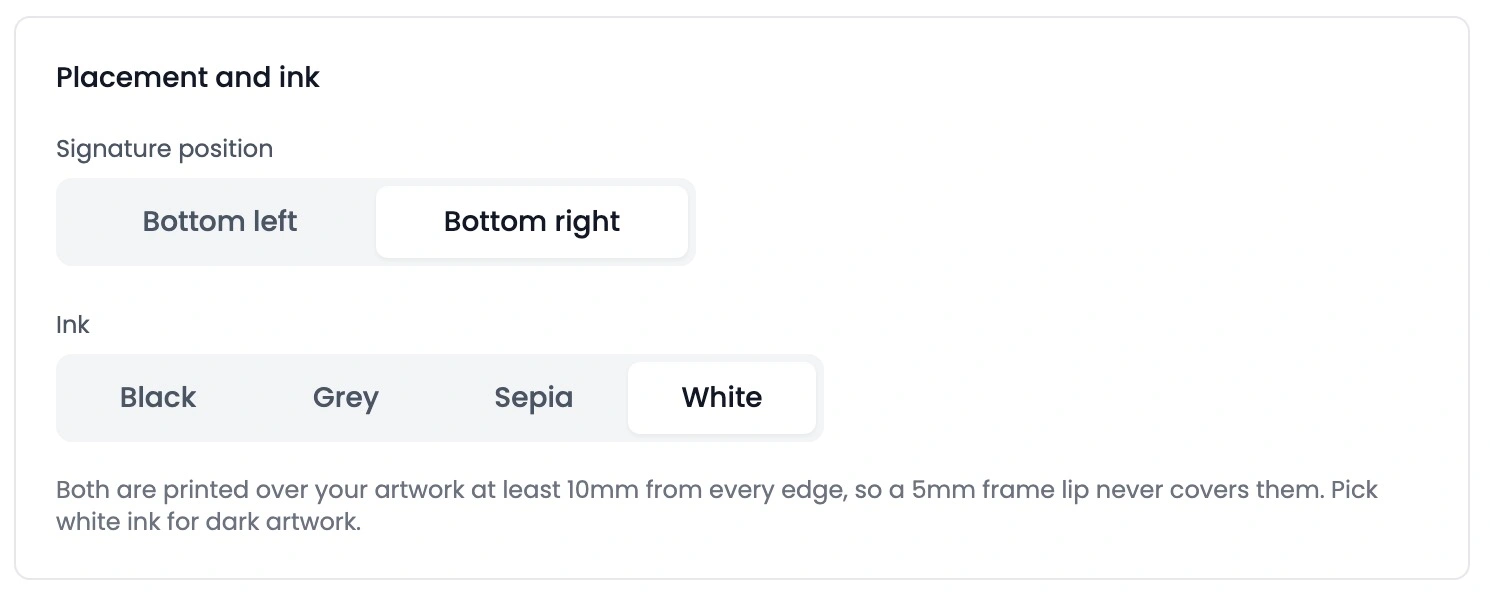
Signatures always sit at least 10mm from every edge, so a standard 5mm frame lip or mount will never cover them, whether the buyer frames it themselves or orders it framed.
Set your print run once, for example 50 prints, and Papello counts down every sale for you. No spreadsheets, and no awkward emails about an edition number you have already sold.
All variants of a listing share one edition pool. An unframed A3 and a framed A2 both take their numbers from the same 1 to 50 run, so the edition stays genuinely limited.
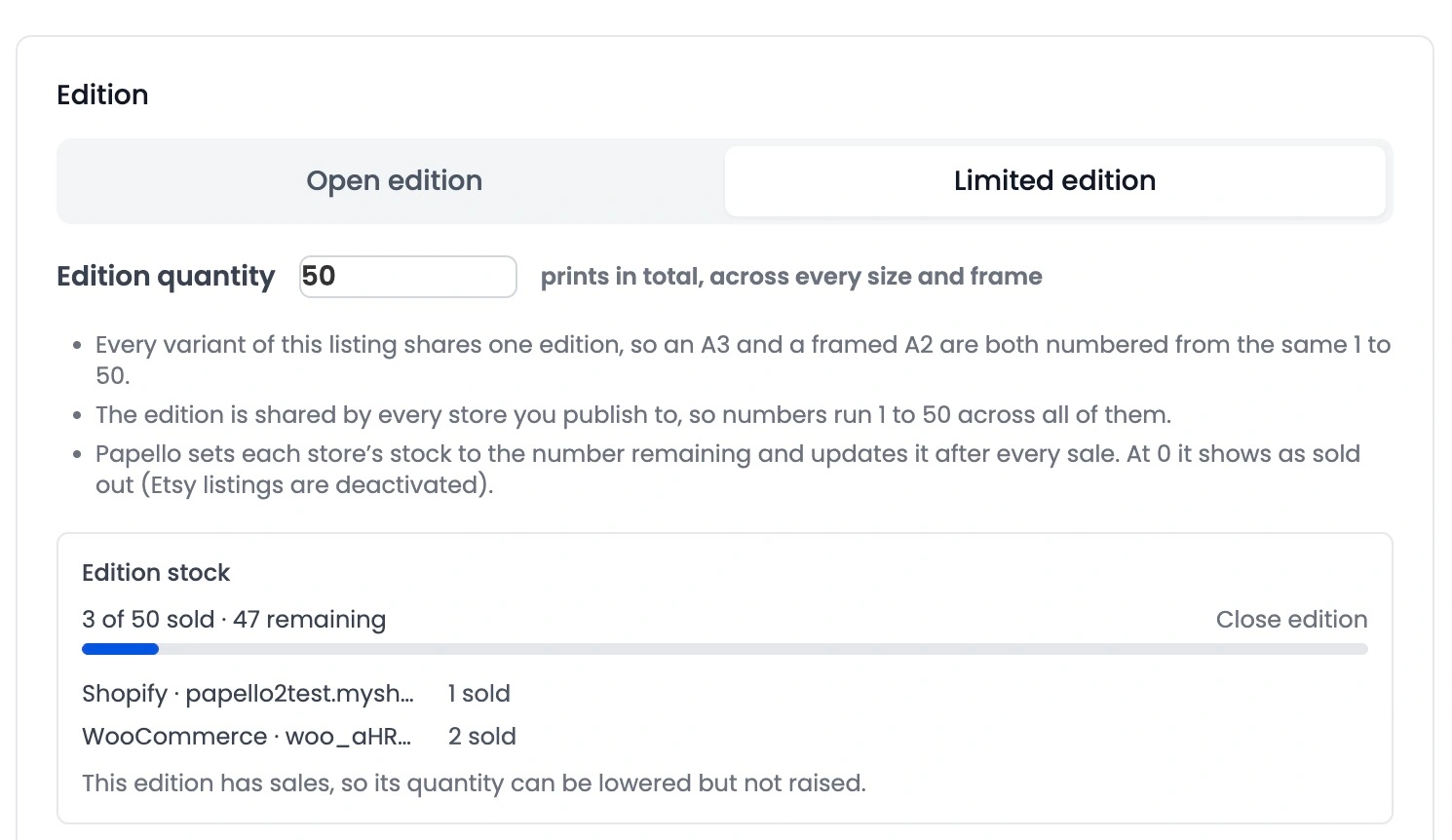
Selling the same edition on Etsy and Shopify? Sell edition #1 on Etsy and Shopify drops to 49 across every variation straight away. When stock hits zero the product shows as sold out, and on Etsy the listing is deactivated automatically.
Pick from five numbering font styles so the edition number suits the mood of your artwork, from clean and modern to something more traditional.
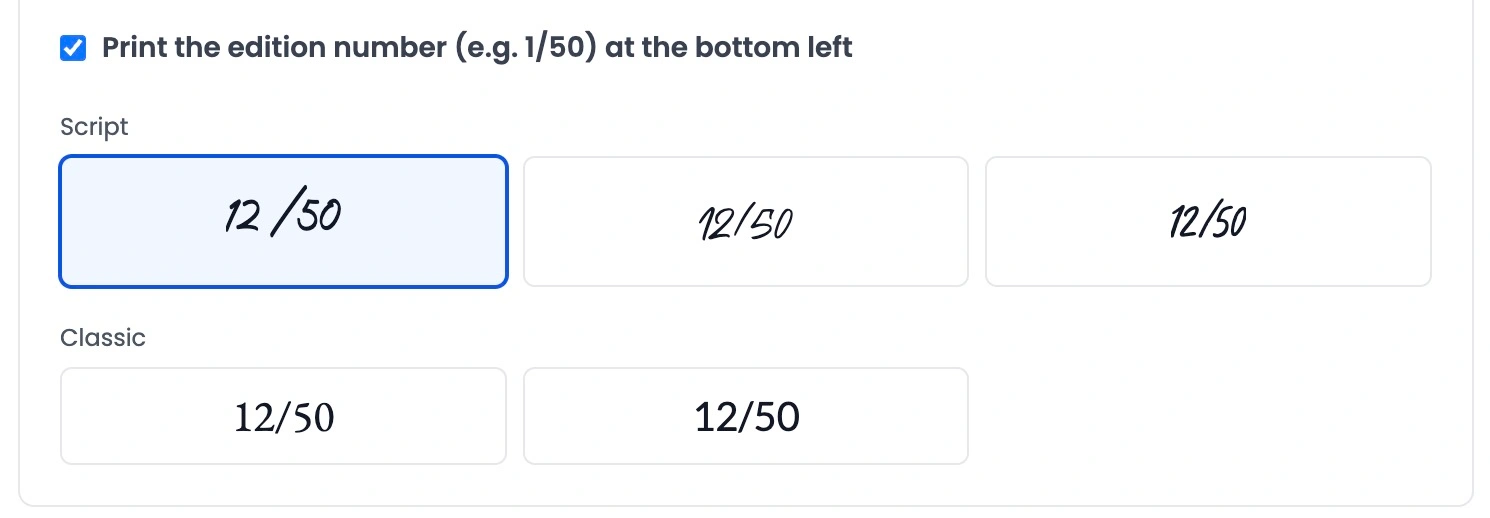
Everything happens in the Editions step of the Papello listing creator, whether you are making a new listing or editing one you already sell.
Go to Listings in your dashboard and click Create New Listing, or choose Edit Listing on an existing item.
Open the Editions step and choose Open Edition or Limited Edition.
For a limited edition, set the total print run and pick a numbering font.
Upload your signature, then set its corner, colour, and size using the live preview.
Publish to your connected stores. Papello counts down each sale and marks the listing sold out at zero.
Plans change. You can retire an edition early or correct stock at any point.
Open the listing, go to the Editions tab and click Close Edition. Stock drops to zero, or the listing is deactivated, on Etsy, Shopify, Wix, and eBay at once.
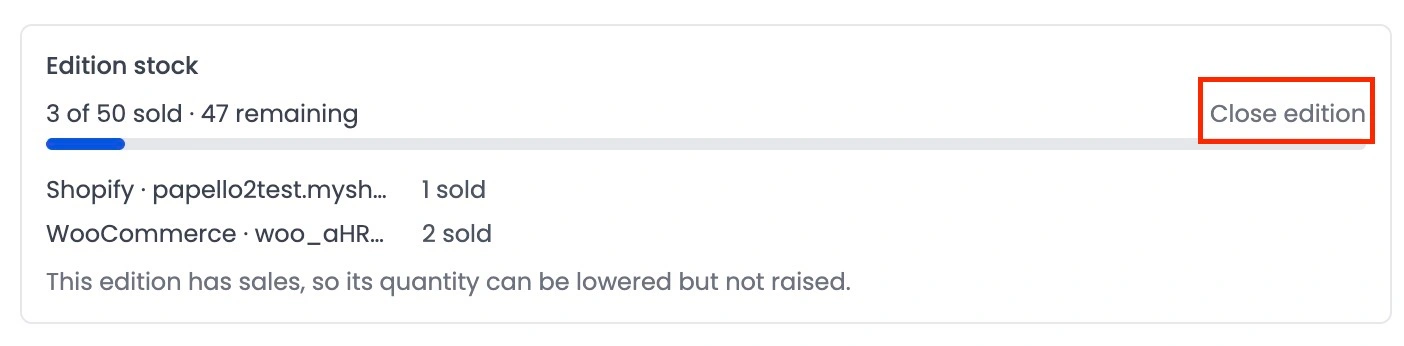
Moving an edition that has already sold some prints elsewhere? Or did someone change the quantity by hand in Etsy or Shopify admin?
Click Sync stock now in the Edition & Signature section of the listing manager. Papello works out the true remaining numbers and pushes them to every store.
Edition stock stays in sync across every connected sales channel. See all Papello integrations or read more about print on demand for artists and giclée printing.
An open edition has no cap, so you can keep selling the artwork for as long as you like. A limited edition has a fixed print run, for example 50 prints, and once every number has sold the listing is marked as sold out across your connected stores.
Yes. Printed signatures work on both open and limited editions. Upload a photo or scan of your signature in the Editions step and Papello prints it in the bottom corner of every print in that listing.
Sign your name in dark ink on clean white paper, then take a clear photo or high-resolution scan. Papello removes the white background automatically, so you do not need to cut it out yourself.
No. Signatures are always printed at least 10mm from every edge of the print, so a standard 5mm frame lip or mount will not overlap it.
Yes. Every size and finish under a listing draws from one edition pool. If your edition is 50 prints, an unframed A3 and a framed A2 both count towards the same 1 to 50 run.
Stock syncs across every connected store. Sell edition #1 on Etsy and the available quantity on Shopify drops to 49 across all variations. When stock reaches zero the product shows as sold out, and on Etsy the listing is deactivated.
Yes. Open the listing, go to the Editions tab and click Close Edition. Papello sets stock to zero or deactivates the listing on every connected store straight away.
Yes. Open the listing manager, scroll to the Edition & Signature section and click Sync stock now. Papello recalculates the remaining numbers and pushes the correct quantity to all of your stores. This also fixes stock that was changed by hand inside Etsy or Shopify.
Print on demand
Set your print run, add your signature, and let Papello handle the numbering, stock sync, and fulfilment.