
Webhooks allow your application to receive real-time, automated updates from Papello when specific events occur. By setting up the order.shipped webhook, your system will be instantly notified as soon as an order is dispatched, allowing you to automatically trigger customer notification emails or update tracking details on your own platform.
How to set up a webhook in the dashboard
Log in to your Papello dashboard.
Navigate to the Webhooks Configuration Page.
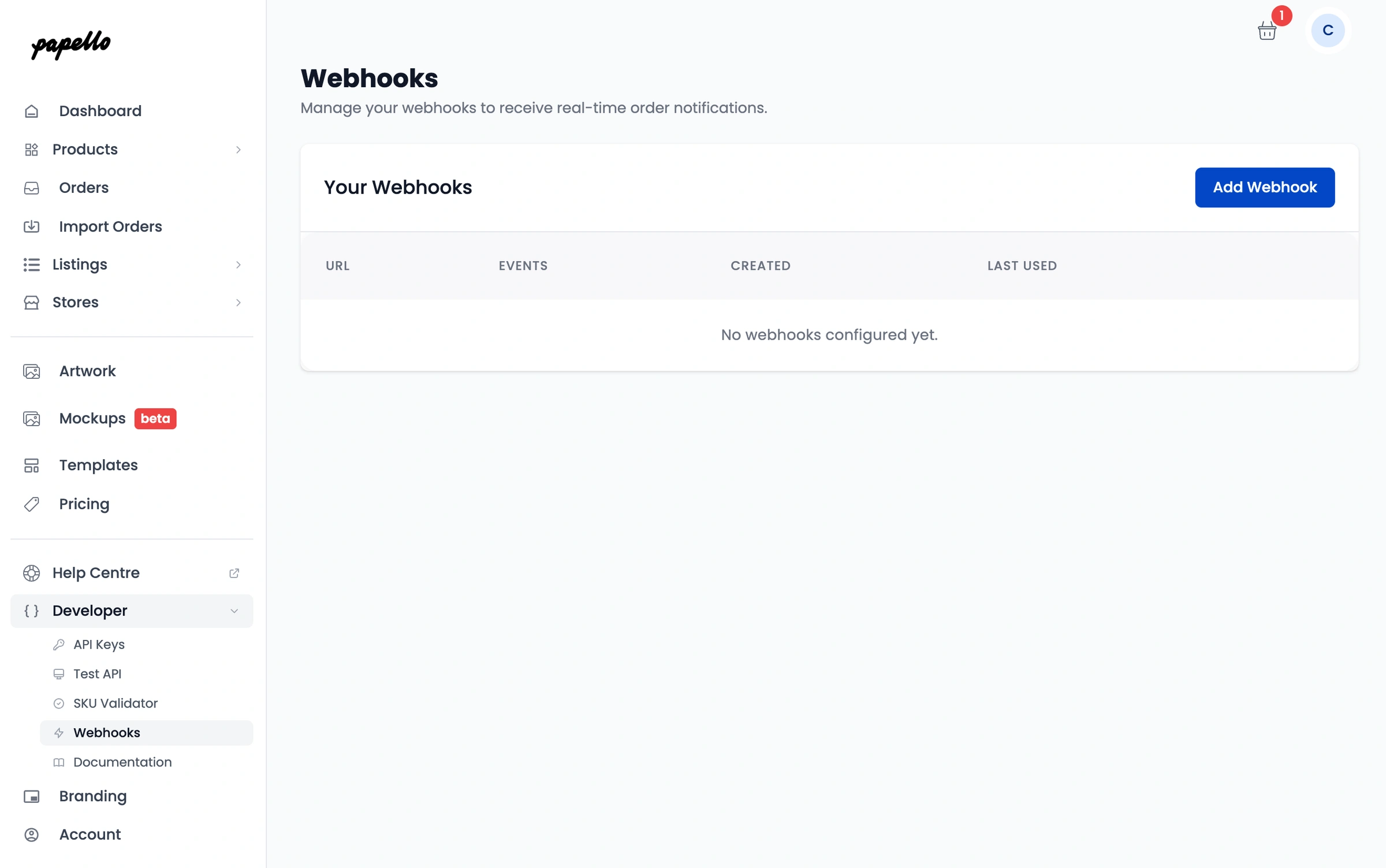
Click Add Webhook (or use the provided URL input field).
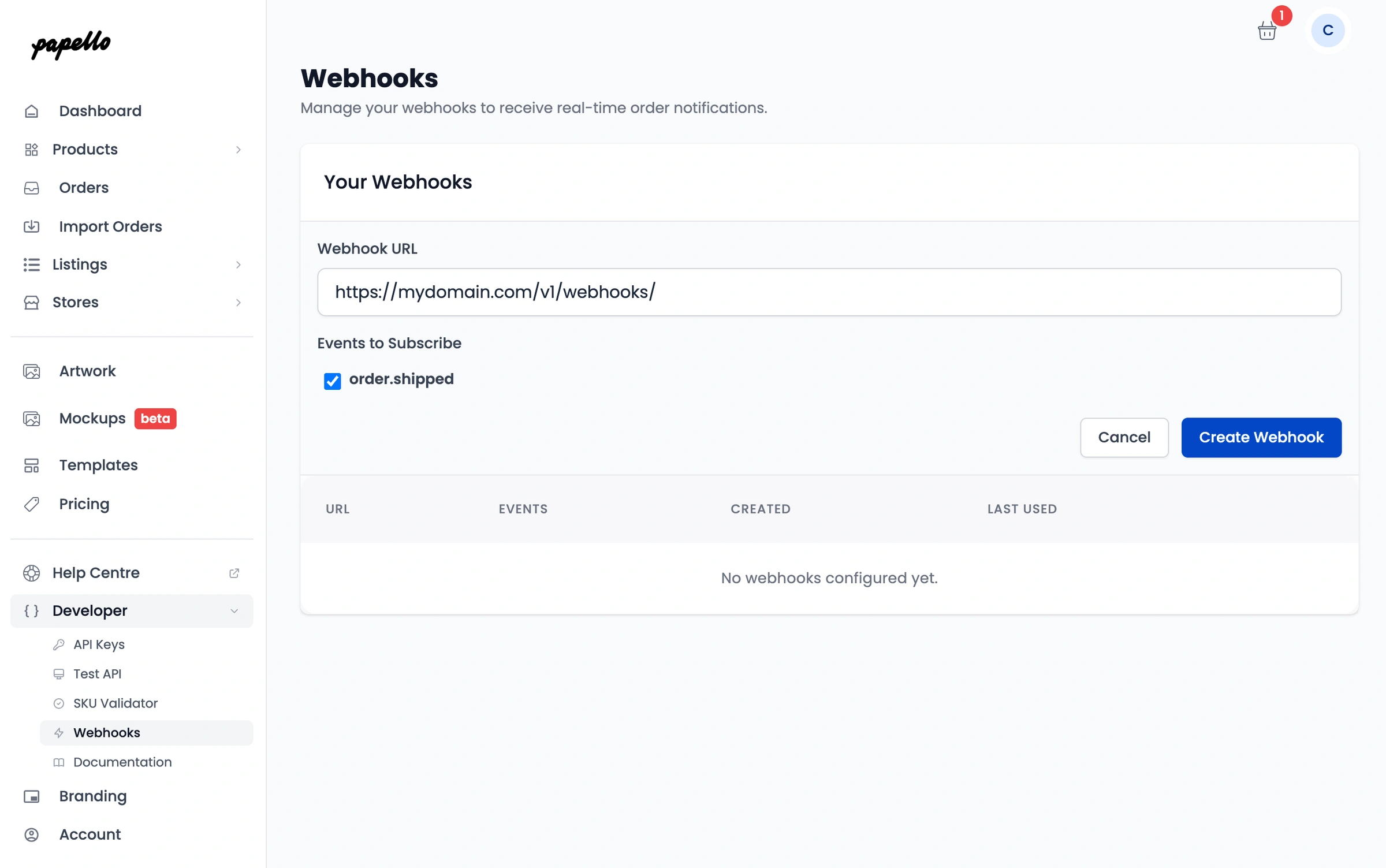
Enter your Webhook URL (the secure endpoint on your server where you want Papello to send the data payload).
Select the
order.shippedevent trigger.Click Save.
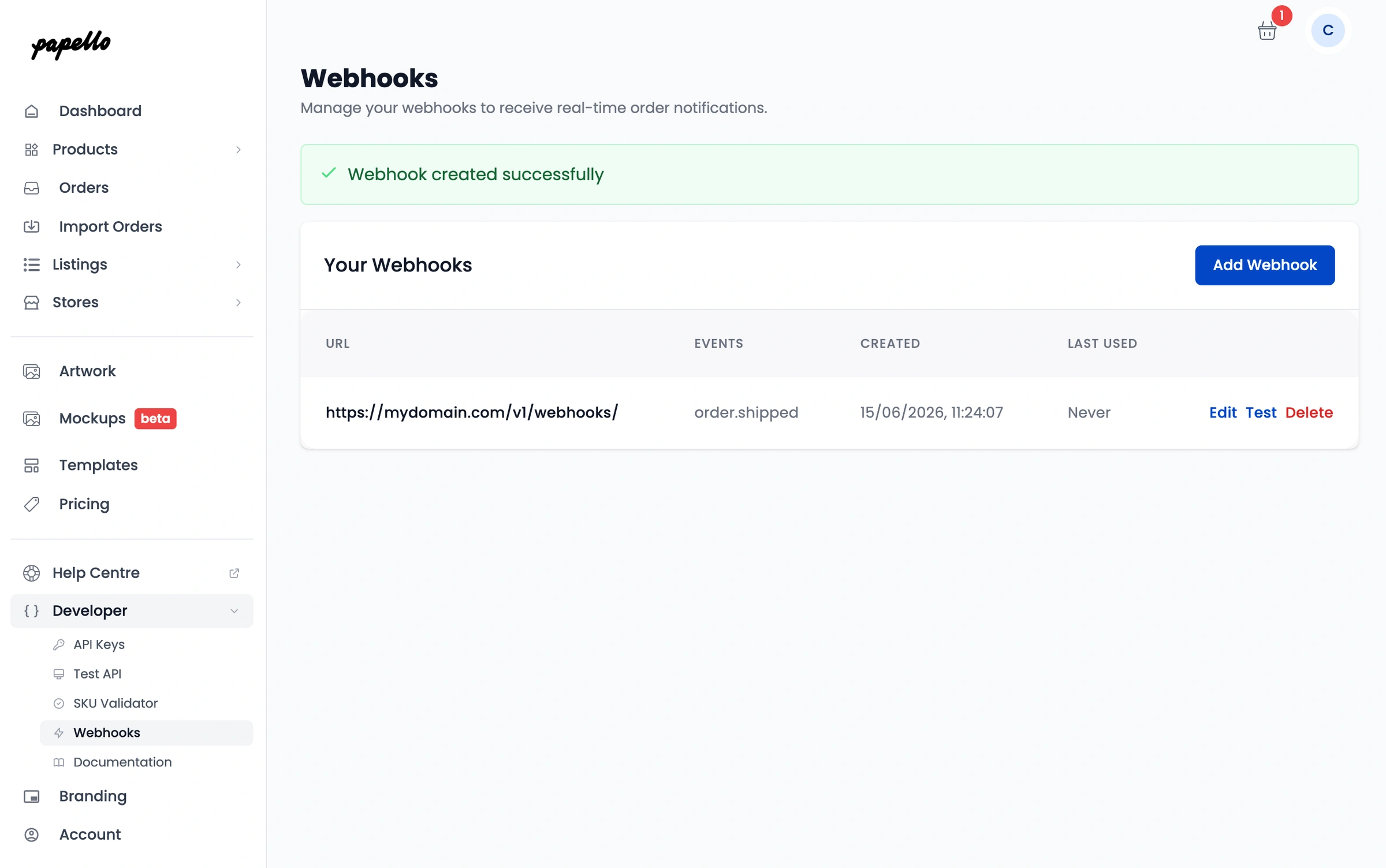
Testing your webhook
Once your URL is added, you can use the built-in Test Webhook feature directly on that page. This will send a simulated payload to your server so you can verify that your endpoint is correctly receiving and parsing the data before going live.
Example Webhook Payload
When an order ships, Papello will send a POST request to your webhook URL with a JSON payload structured like this:
JSON
{
  "event": "order.shipped",
  "timestamp": "2026-06-15T10:22:48.014Z",
  "data": {
    "orderId": "PPA-01069729",
    "orderReference": "order-1748092696225-4hmp76",
    "status": "shipped",
    "shippingInfo": {
      "trackingNumber": "1234567890GB",
      "carrier": "Royal Mail",
      "service": "Tracked 48",
      "shipDate": "2026-06-15T08:52:48.014Z",
      "updatedAt": "2026-06-15T10:22:48.014Z"
    }
  }
}
Key Payload Fields:
orderId: Papello's internal unique order identifier.orderReference: The original reference number provided by your store or e-commerce platform.trackingNumber: The tracking ID supplied by the courier (e.g., Royal Mail tracking code).carrier&service: The specific courier network and shipping tier used for the package.