Ordering samples allows you to inspect print quality, paper texture, framing finishes, and packaging firsthand before launching a campaign. With Papello, you can order samples directly from your saved listings without having to purchase them through connected channels like Etsy, Shopify, or eBay - saving you external marketplace transaction fees.
Direct sample ordering is available across Standard, Personalised, and Limited Edition listings.
Key Benefits
No Marketplace Fees: Avoid paying transaction, processing, or listing fees on external sales channels just to order your own stock.
Full Personalisation Testing: When sampling a personalised item, you will see the live customiser where you can upload test photos, enter custom text, and select options exactly as your customers would.
Limited Edition Protection: Ordering a sample of a Limited Edition listing will not count toward your public edition limit. Your live stock counter (e.g., 1 of 50) stays intact.
Step-by-Step Guide
1. Navigate to Your Listings
Log in to your Papello dashboard and open the Listings page.
2. Select "Order a sample"
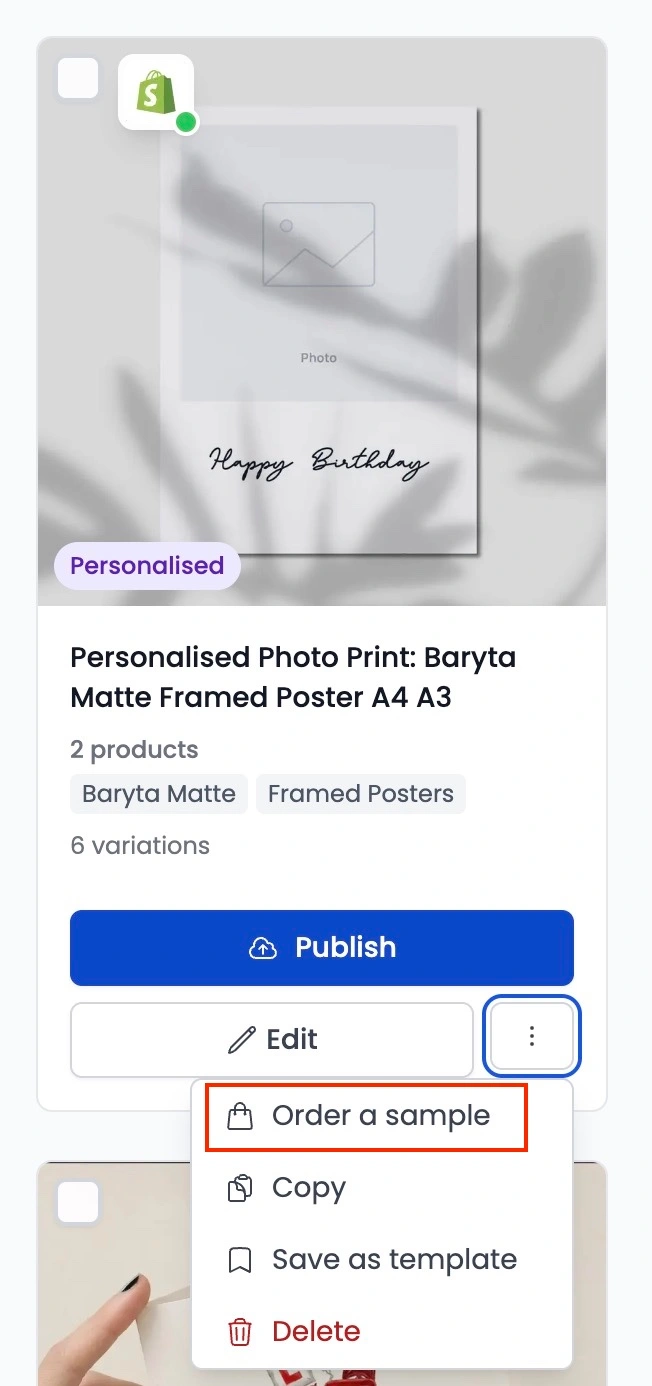
Find the listing you wish to order, click the three-dot action menu (...) on the listing card, and select Order a sample.
3. Select Variations & Customise
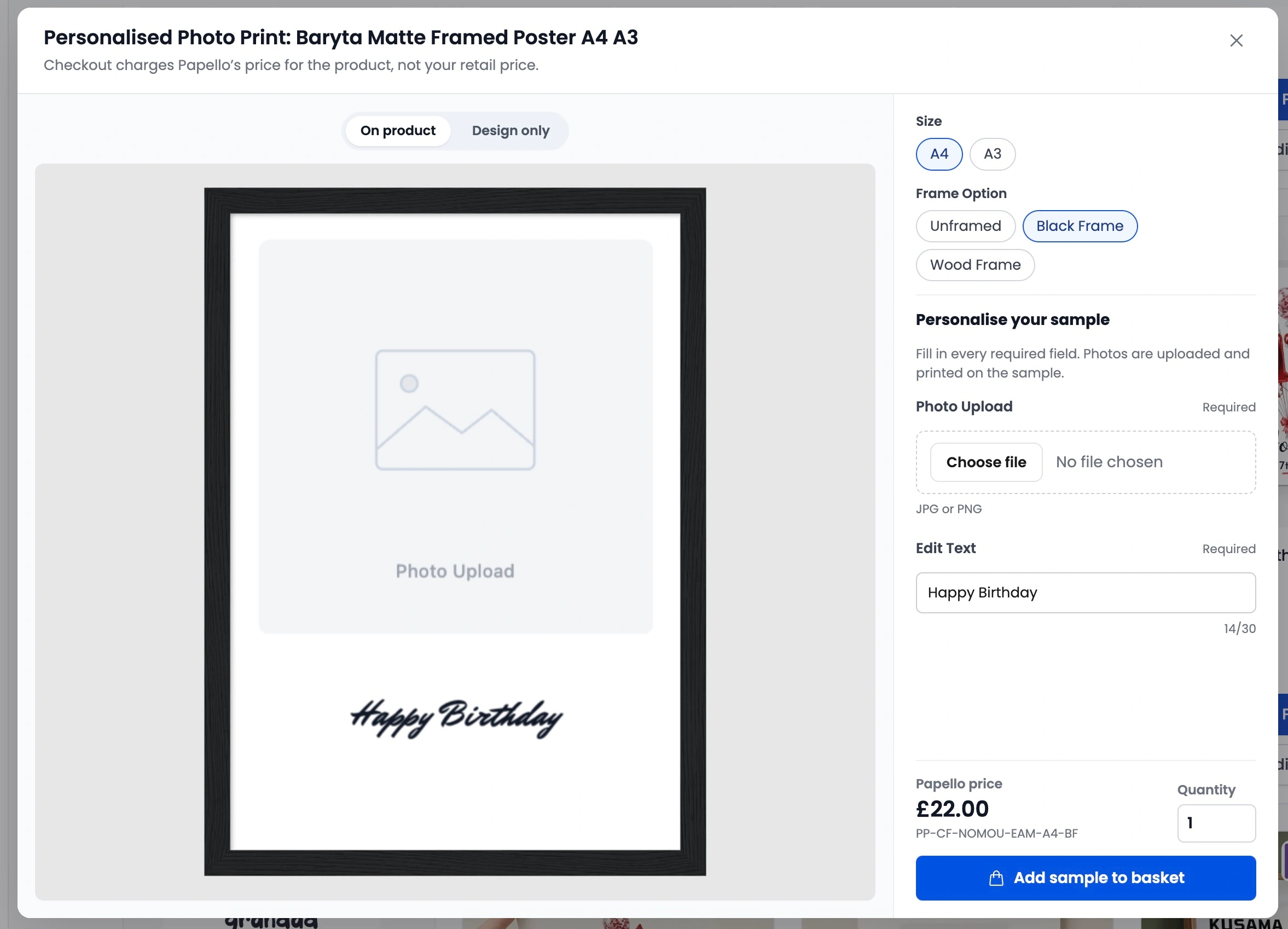
Standard Products: Select the size, frame finish, or variation you want to inspect.
Personalised Products: The interactive customiser will load with a live preview. Enter your sample text, pick design variants, or upload a photo to test print resolution.
4. Add to Basket & Check Out
Click Add to Basket.
Go to your basket, enter your preferred delivery address, and select your shipping method.
Submit payment to send your sample straight to production.