
Finding winning products, creating high-converting mockups, writing targeted tags, and setting up manual automations can take weeks. Public Listings removes this friction by giving you instant access to a pre-built catalogue of over 500 print-on-demand products that are fully ready to publish directly to your e-commerce store in just a few clicks.
With zero upfront inventory risk and built-in commercial licensing, you can expand your store's range instantly and focus entirely on driving sales.
Key Features Included with Every Public Listing
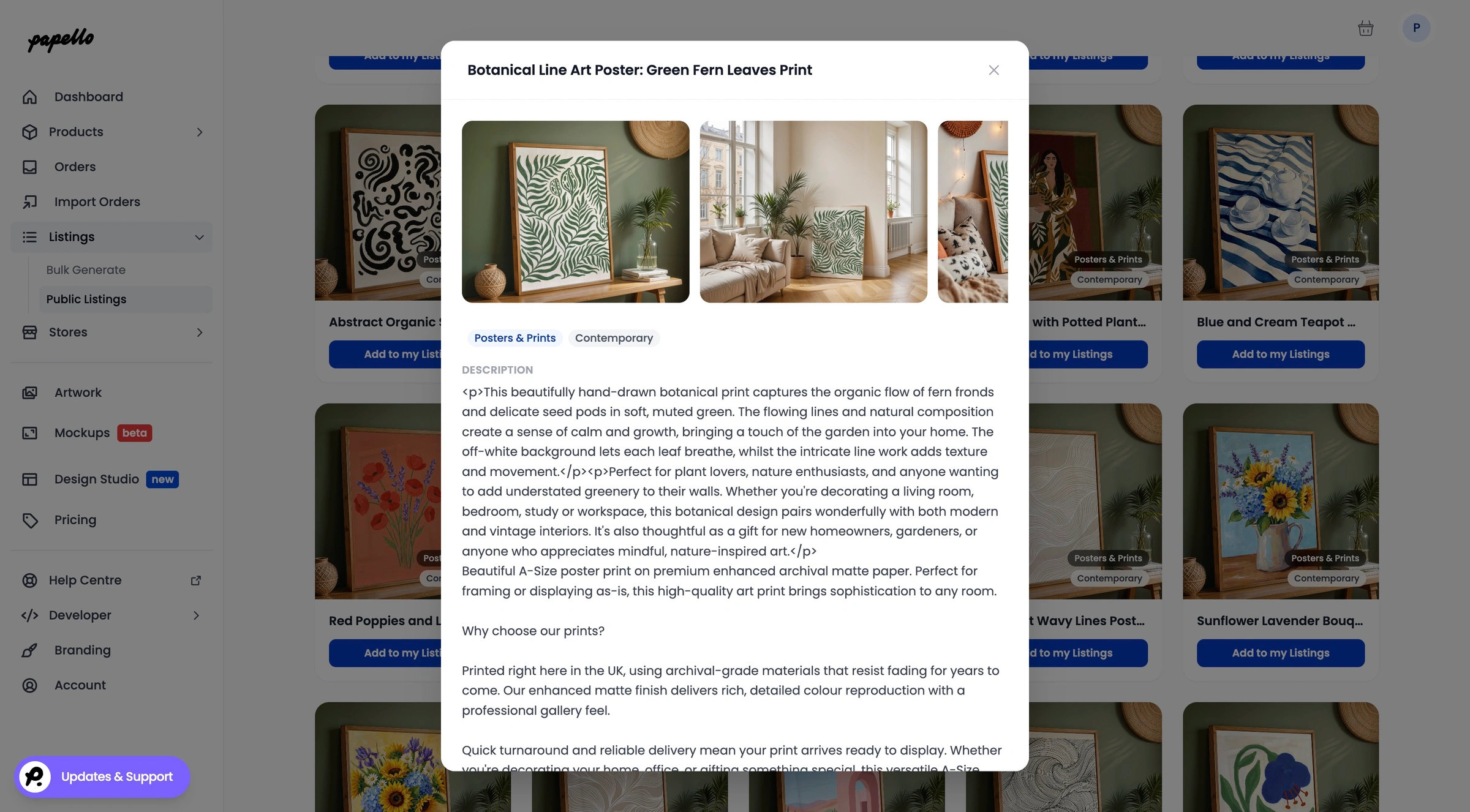
Professional Mockups: Every listing comes pre-packaged with high-resolution, polished mockup images styled to convert browse traffic into buyers.


Optimised Descriptions & SEO Tags: Avoid writer's block. Each product includes pre-written, search-engine-optimised titles, descriptions, and tags tailored for marketplace discovery.
Healthy Profit Margins (40–50%): Listings come with pre-configured retail prices structured to deliver strong profit margins. You retain total control to adjust or override pricing at any time.
Instant Fulfilment Automations: The moment you publish a Public Listing to your connected store, Papello automatically maps the backend automation rules. When an item sells, it ships without manual intervention.
Extended Commercial License: Every design includes an extended commercial licence, granting Papello full legal authorisation to print and fulfil your orders. You sell across your preferred marketplaces while we handle the backend manufacturing.
Step-by-Step: How to Publish Public Listings
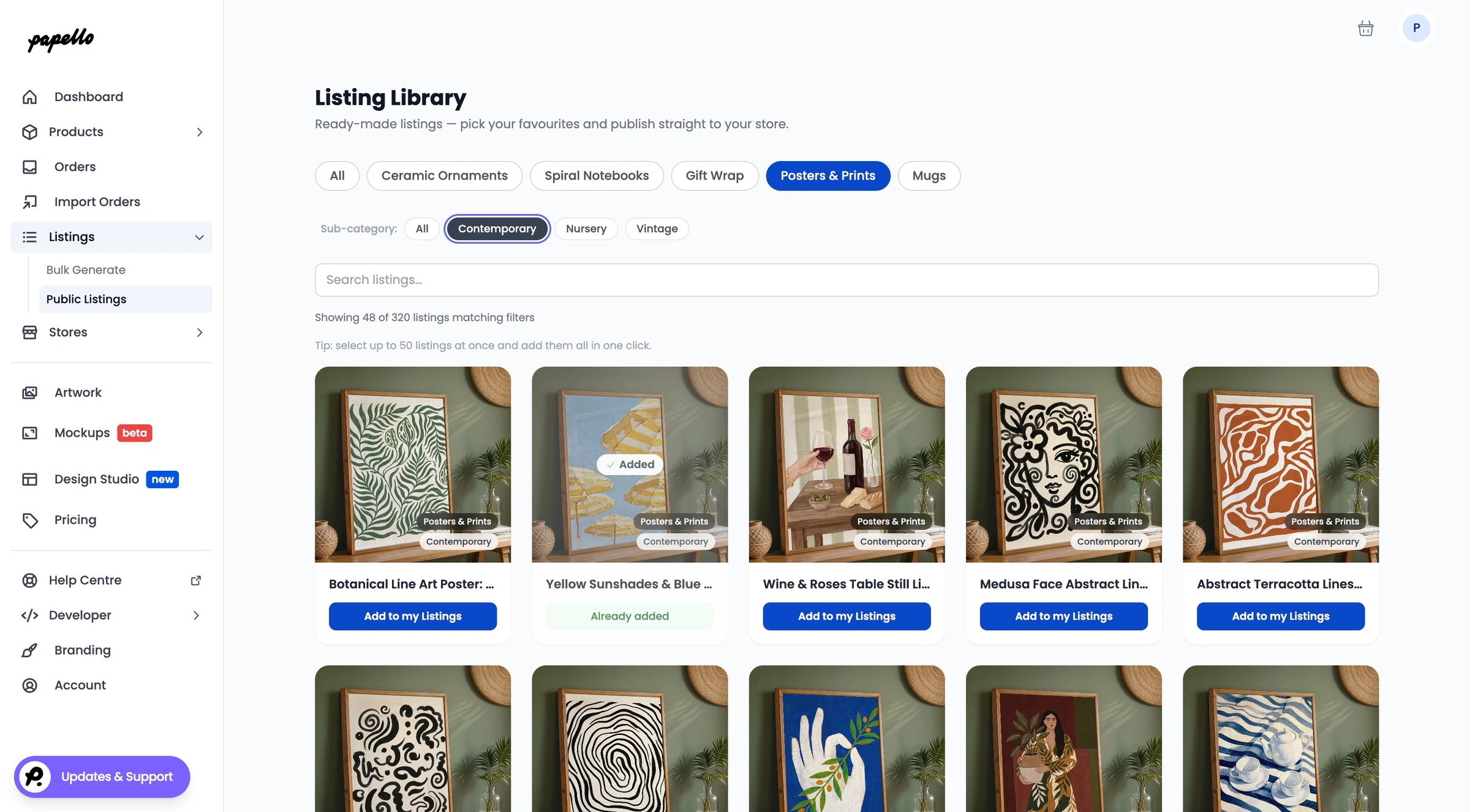
Step 1: Browse the Public Catalogue
Navigate to the Public Listings Catalogue inside your Papello dashboard to explore over 600 curated products spanning fine art prints, mugs, and stationery.
Click on any listing to view the mockups, description and tags. All of which are editable once your "claimed" the listing.
Step 2: Import to Your Personal Library
When you find a product you like, click "Add to my listings". This instantly clones the product's mockups, pre-written tags, descriptions, and margin settings into your personal Papello listings hub.
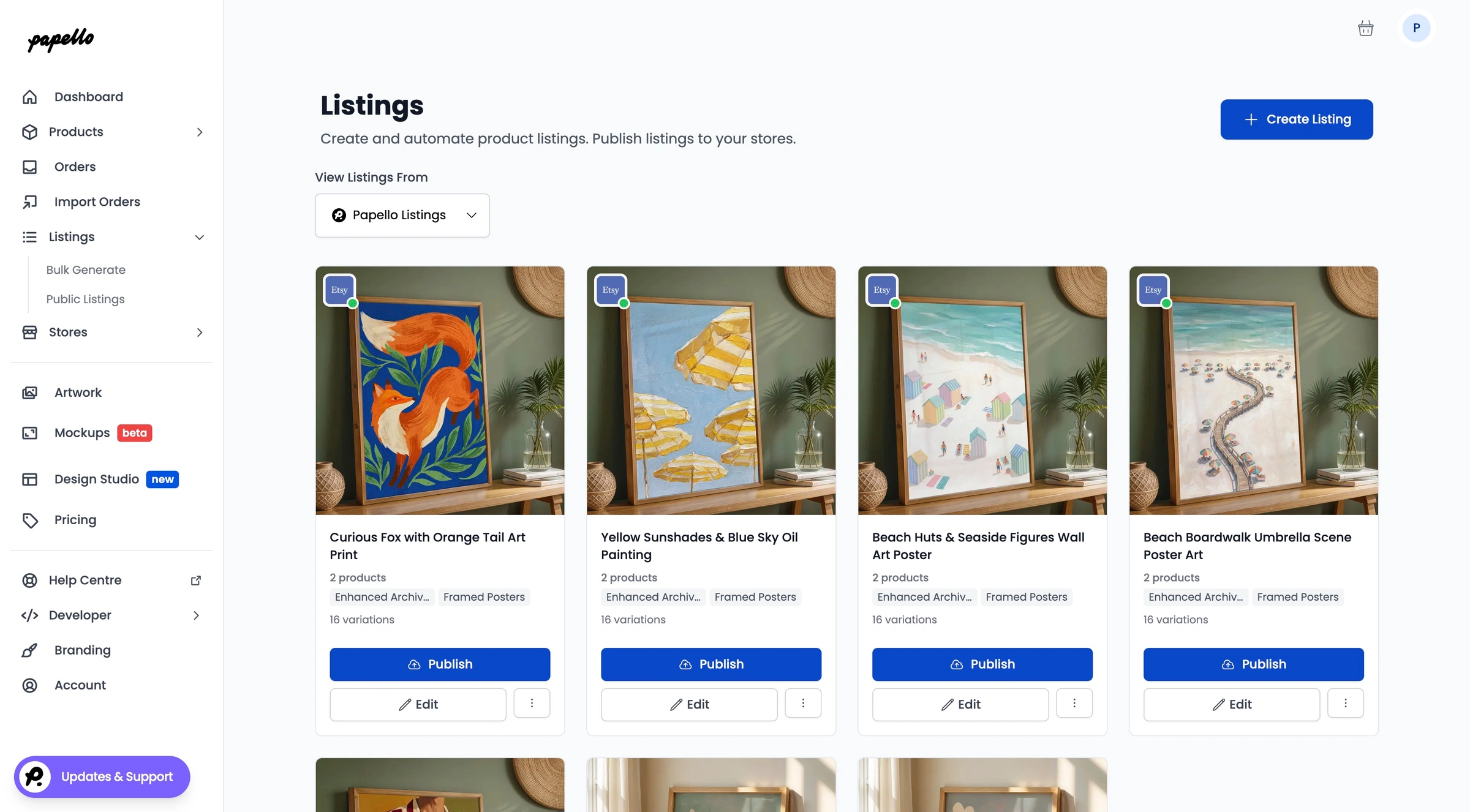
Step 3: Publish to Your Store
Now from your listings page on the dashboard, click Publish and publish the listings to any of your connected stores. All corresponding fulfilment automations are generated in the background, making your new items live and ready for customers in minutes.
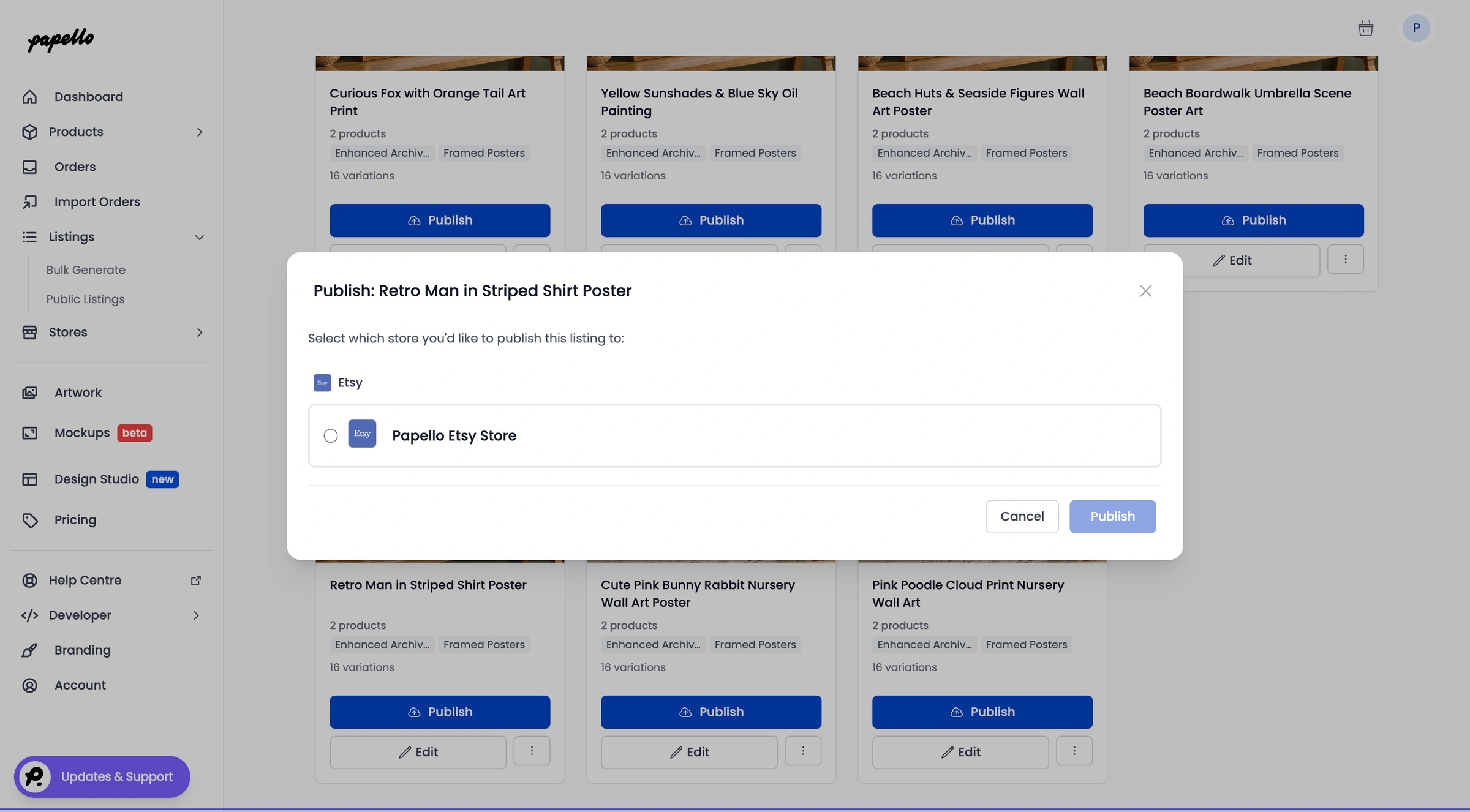
Etsy Sellers Note: Standard Etsy listing fees apply. Each published listing costs £0.20 to activate on our platform when pushing to your Etsy shop