
Personalised gifts, custom wall art, and bespoke merchandise represent one of the fastest-growing, highest-margin segments in e-commerce. Buyers actively seek items that feel uniquely theirs and are consistently willing to pay a premium for custom details.
However, offering Shopify print on demand personalisation has traditionally meant dealing with admin overhead. Merchants had to collect custom text via checkout notes, chase missing photos over email, manually format artwork files in Photoshop, or patch together complex third-party customiser apps.
We built a seamless, native solution directly into the Papello platform: Live Shopify Storefront Personalisation.
Now, you can let shoppers add custom text, pick design variants, and upload photos directly on your Shopify product pages - featuring real-time live previews and 100% automated artwork rendering upon checkout.
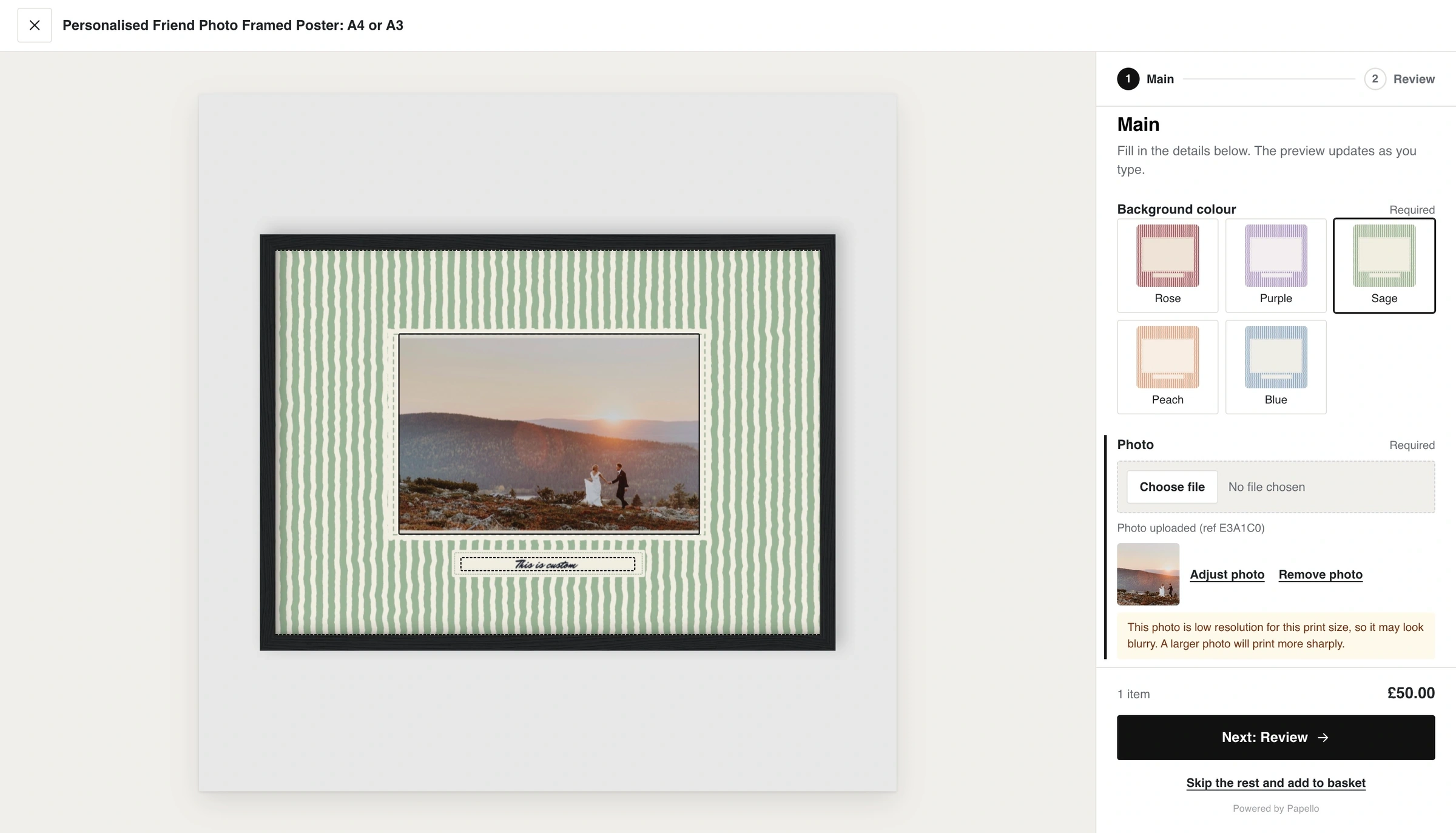
The Ultimate Personalised Shopping Experience
When you publish a personalised product from Papello to your store using our Shopify Integration, our Online Store 2.0 app block integrates directly into your theme.
Here is how the shopper journey works on your store:
On-Page Personalisation: The default "Add to Cart" button is replaced by an interactive Personalise button on your product template.
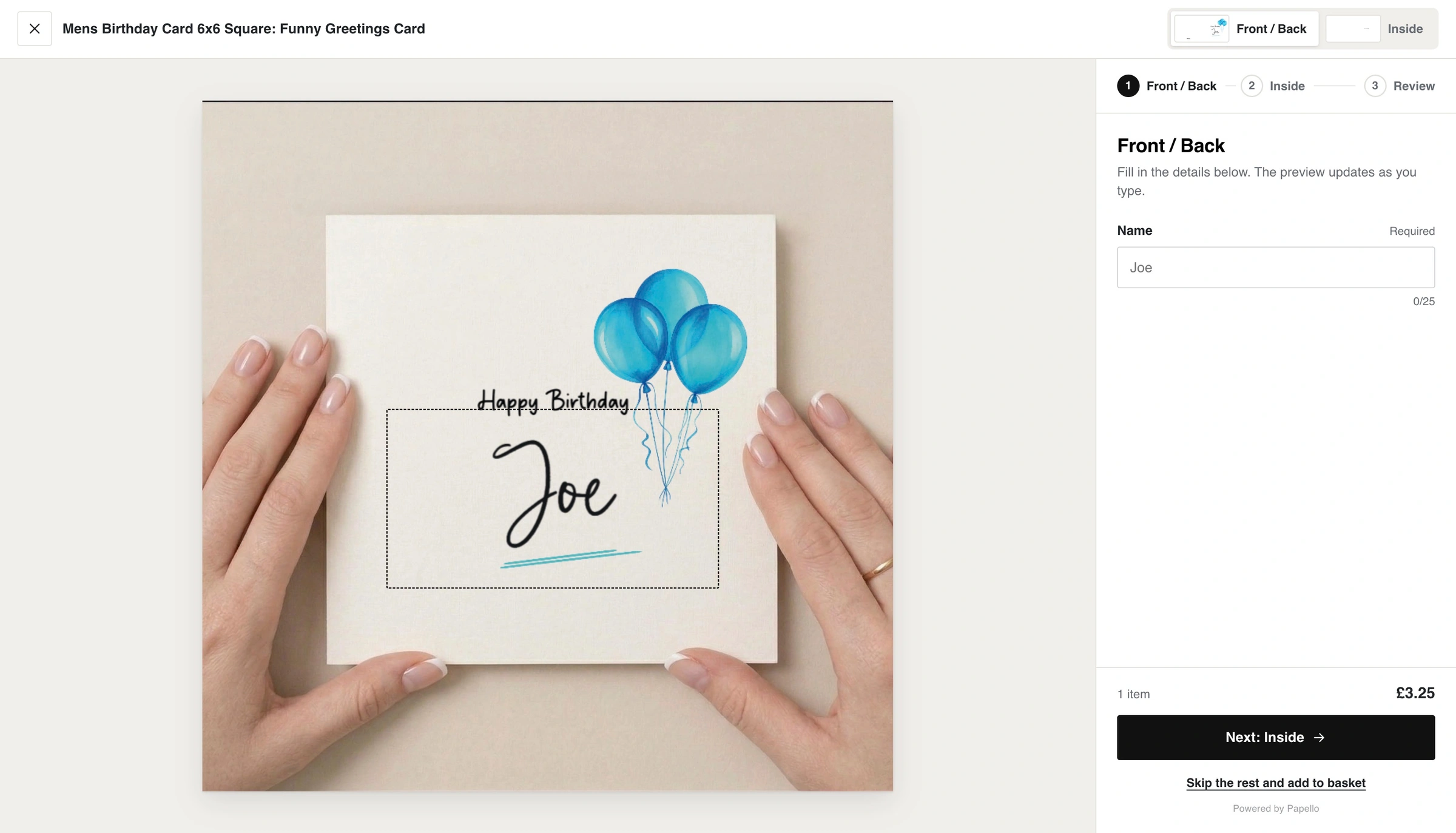
Real-Time Live Previews: As customers type custom names, dates, or messages, the live preview updates instantly on screen.
In-Browser Photo Uploads & Framing: Shoppers can upload photos directly from their phone or desktop, with intuitive tools to zoom, crop, and adjust framing inside your designated print boundary.
Realistic Base Mockups: Using our Base Mockup Engine, customer artwork renders directly onto photorealistic backgrounds - such as framed art hanging on a room wall or a mug on a table.
Multi-Page Customisation: For complex items like greetings cards with custom inner spreads or matching envelopes, the editor guides the customer step-by-step through each print area.
Seamless Checkout: Once confirmed, the item lands in the Shopify cart with all custom artwork properties attached.
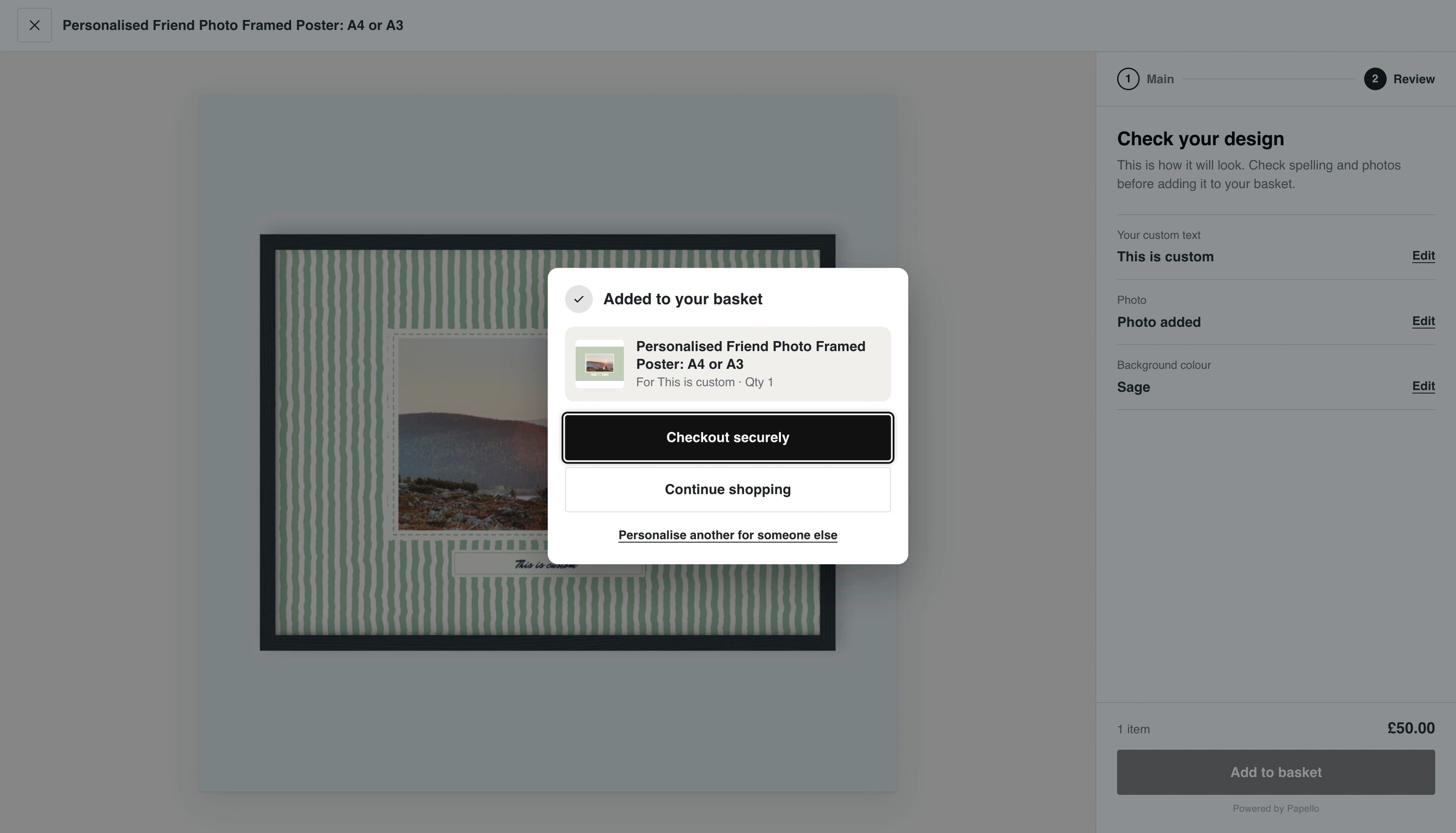
100% Automated Print Rendering & Fulfilment
The moment an order is placed, Papello's automated rendering engine takes over behind the scenes:
Print File Generation: Papello merges the buyer's custom text, selected options, and photo uploads with your master template to generate a high-resolution, print-ready file.
Zero Manual File Handling: You never have to manually edit artwork, adjust dpi settings, or crop photos in design software.
Automated Inventory Routing: Orders automatically route to the Papello Fulfillment location in your Shopify admin.
Fine-Art Printing & Dispatch: Our studio prints the item using 11-colour Giclée equipment, inspects quality, packs it in white-label packaging, and dispatches it directly to your customer. Tracking numbers automatically sync back to Shopify to complete the order.
For a full breakdown of the backend setup, read our step-by-step guide on How Shopify Personalisation Works.
How to Get Started
Setting up live personalisation on your Shopify store takes just a few minutes:
Open the Papello Design Studio and add Personalisation Fields (Text, Photo Upload, or Image Selectors) to your artwork.
Build a new listing, select Personalised under artwork type, and choose your design template.
Publish the listing to your store.
Enable the Papello personaliser app block in your Shopify Theme Editor (see How to Add the Personaliser App Block).
Ready to boost your average order value and offer custom products on auto-pilot?