
The personaliser runs via a Shopify App Block. You only need to add the block to your product page template once for it to display across all published personalised listings.
Adding the App Block
Install the Shopify app (if not already installed)
In your Shopify admin, navigate to Online Store → Themes and click Customize.
Use the top dropdown menu to navigate to Products → Default product (or your custom product template).
In the left panel under Product Information, click Add block.
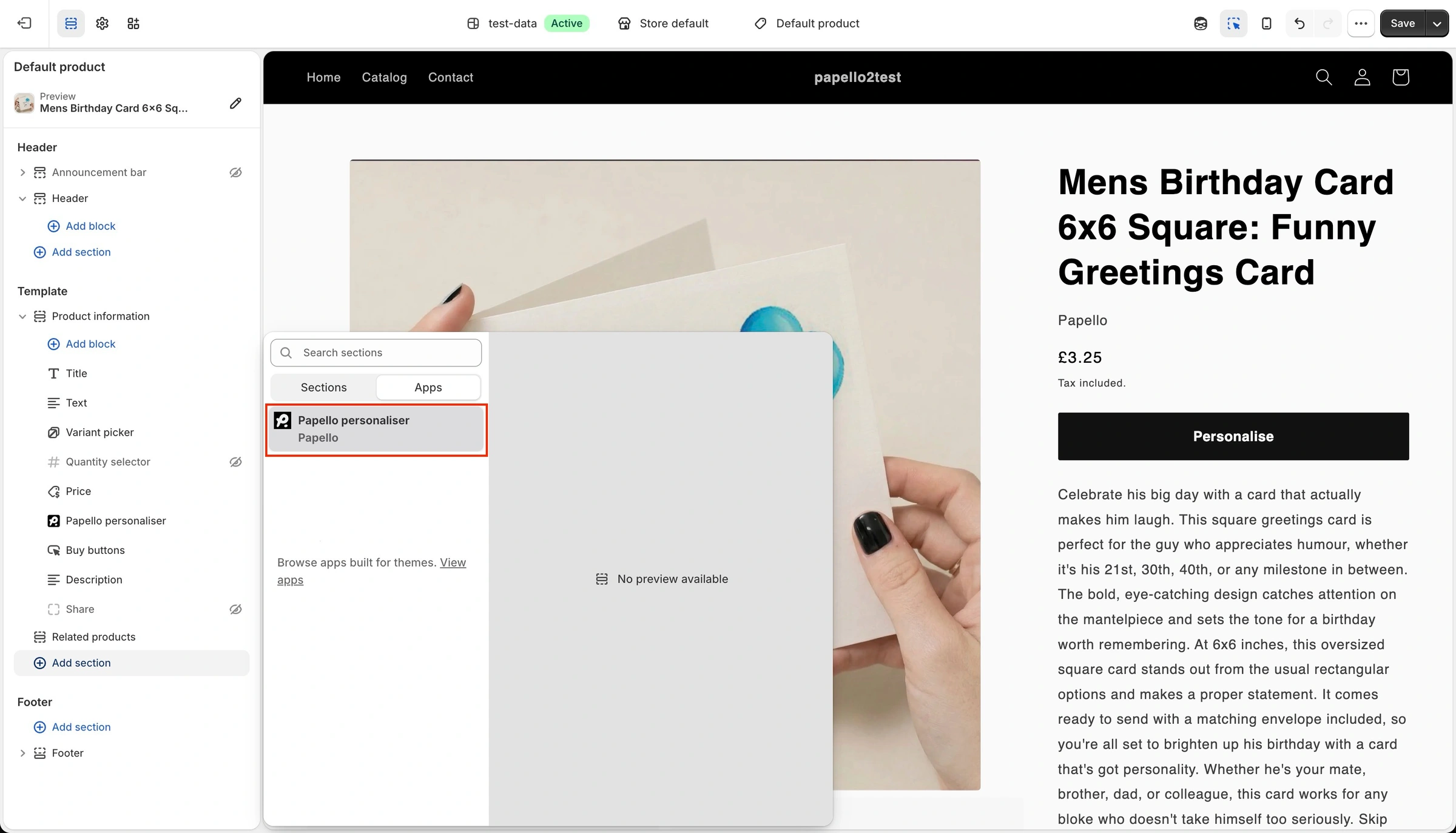
Select the Apps tab and choose Papello personaliser.
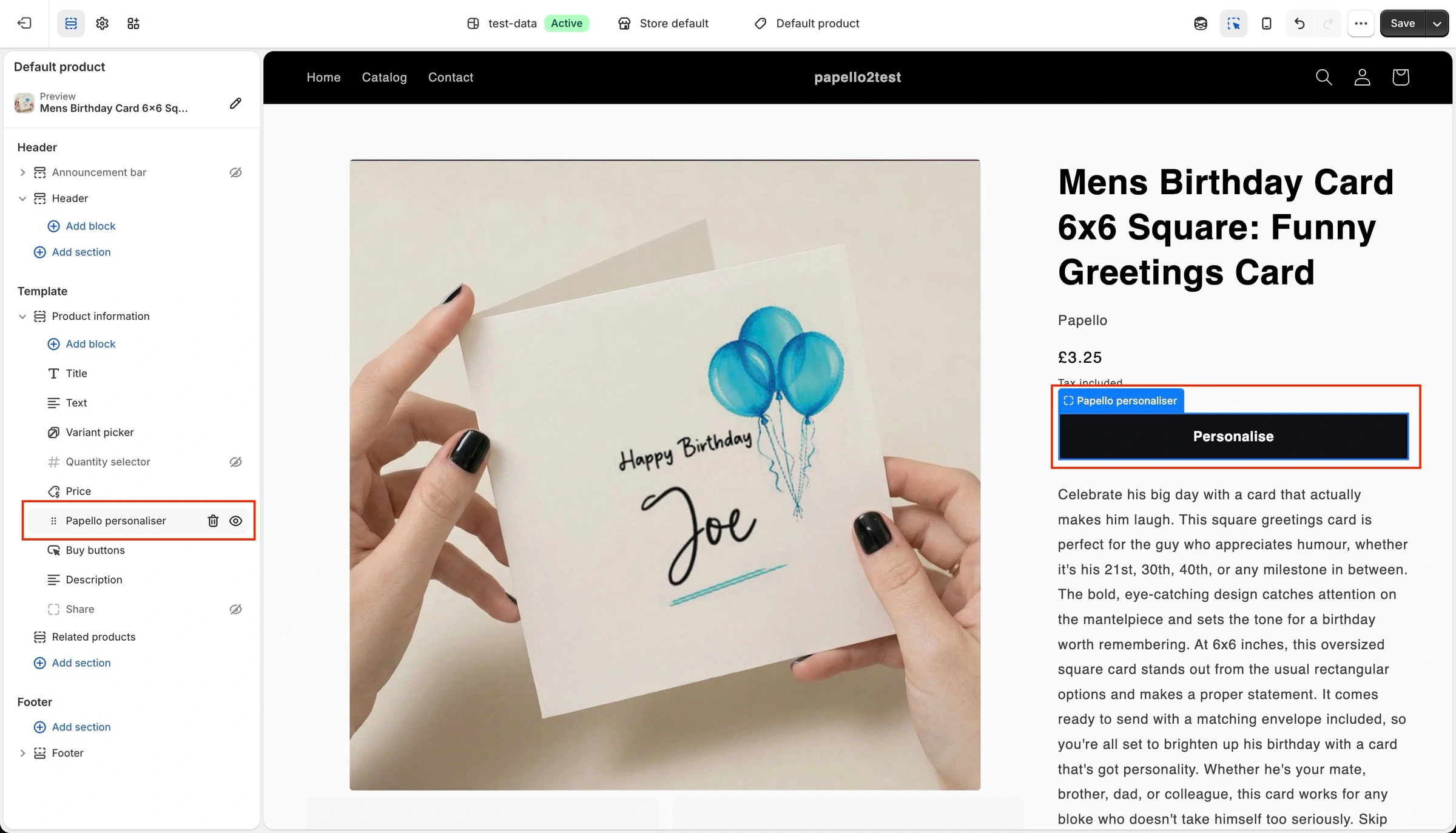
Drag the block to your desired position (typically directly above or in place of the default buy buttons).
Click Save.
On personalised items, standard Add to Cart buttons are hidden automatically, forcing checkout through the personaliser modal to ensure customisation details are captured
What the customer sees
Clicking "Personalise" on product page now displays a sleek, modern & live preview editor of your design template directly in your Shopify store.
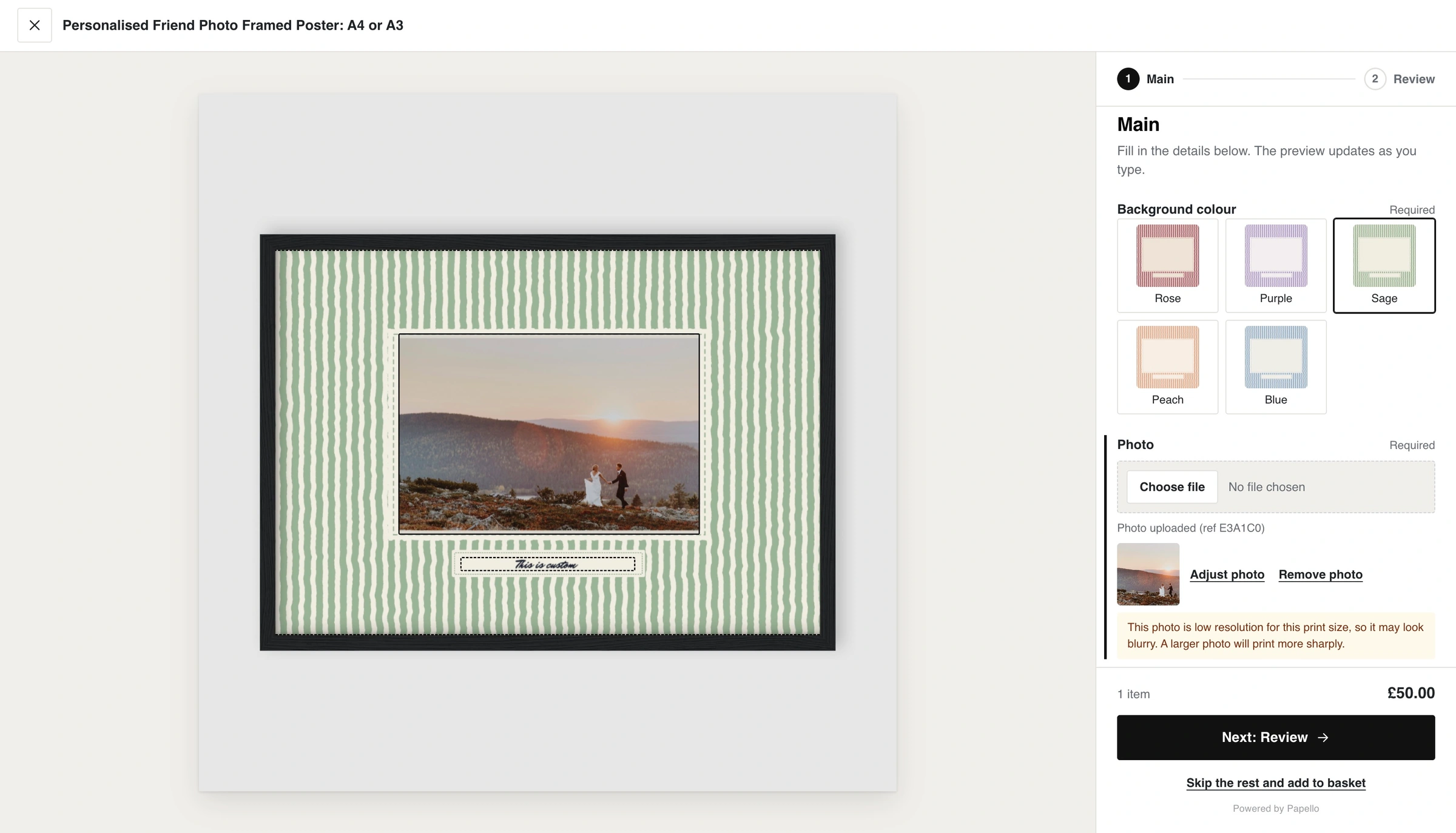
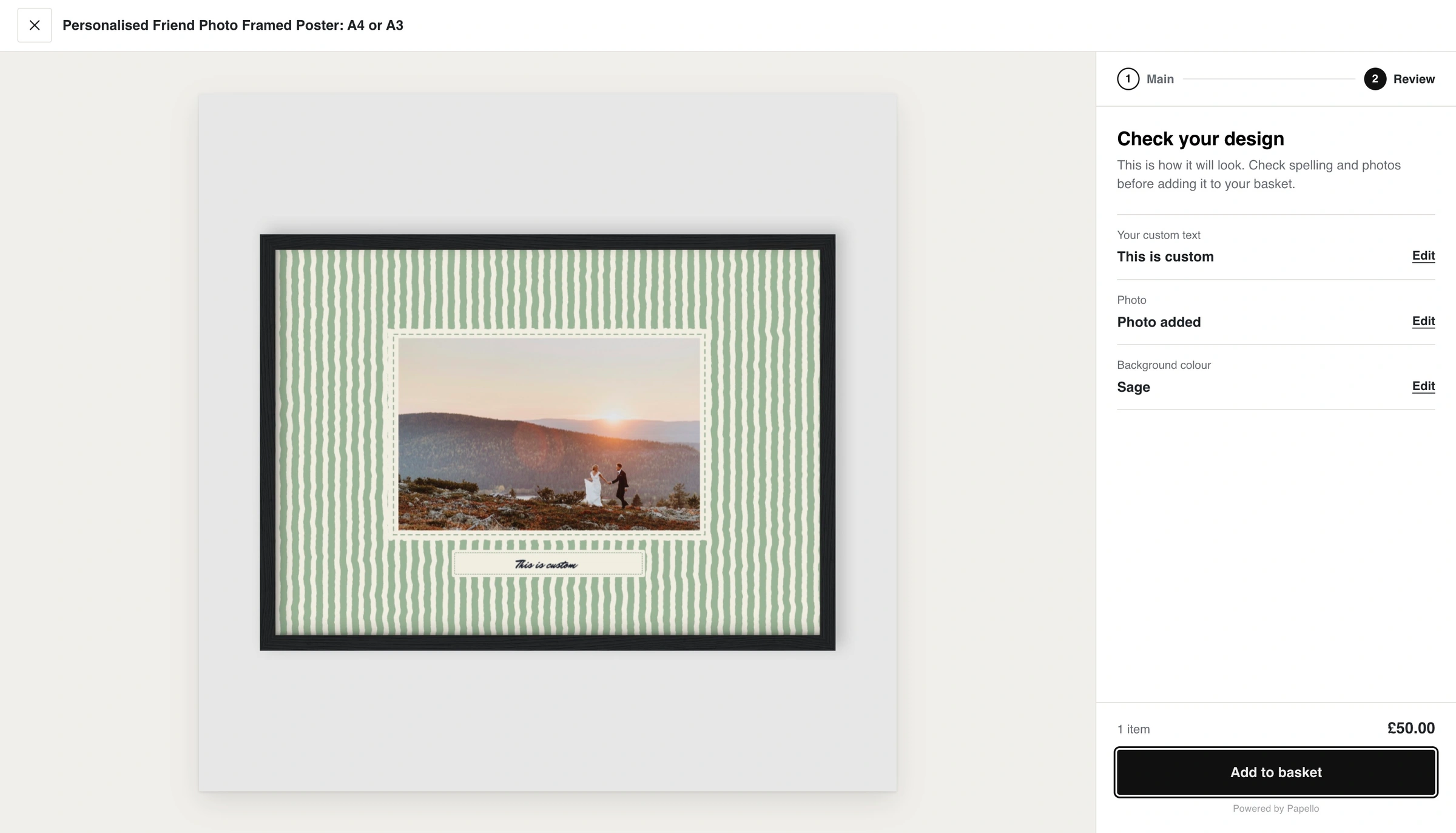
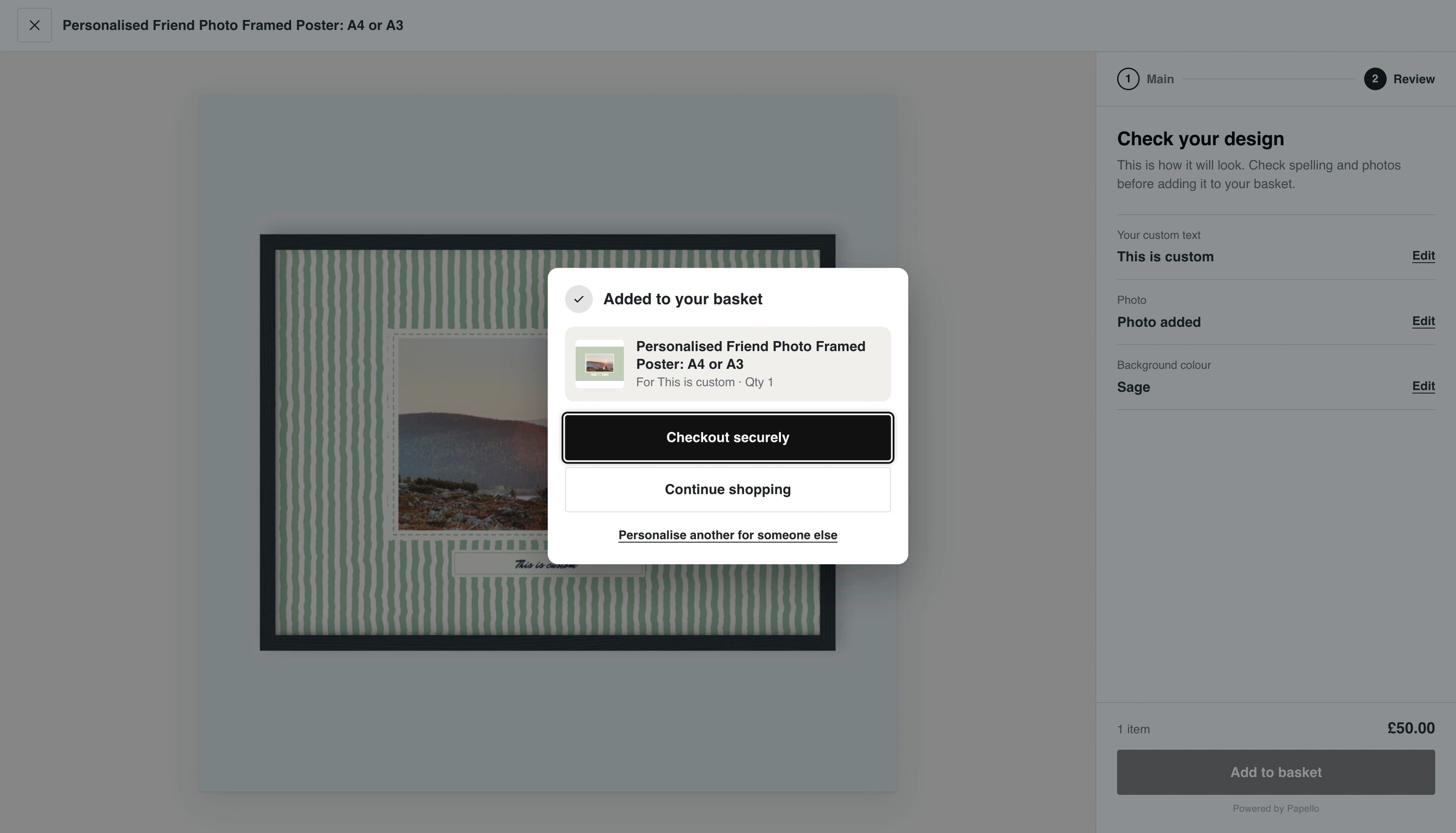
In the exampe above we've also setup "Base Mockups" to better display how the finished product will look.